
Build log · Media Studio
Building an open-source AI media studio with App Composer
I wanted a place to make images, video and sound, and keep the work in an app I own. So I described it in App Composer and built Media Studio with an agent. Here’s what we made with it, how it came together and what it cost to try. Follow the tutorial to build your own.
Build an owned Media Studio
Watch the 30-second Studio film. It opens on LoftwahFM’s Low Tide animation and follows the work from brief to publication.
Quick start / TL;DR
Quick start
Build an independent studio for saved images, video and sound, or adapt the workflow to an app you already own. Your Cloudflare resources hold the work; optional model providers charge for their own requests.
- What you build
- An independent Media Studio Worker with its own D1 database, R2 bucket, owner-only workspace and public pages.
- What it does
- Keeps project originals and versions, makes stills and short clips with Workers AI and optional fal, saves storyboards, mixes browser audio and publishes deliberately.
- What you need
- Cloudflare account with Workers Paid
- Own D1, R2 and Workers AI bindings
- Supported Codex or OpenCode agent
- Optional funded fal.ai key
- Working result
- A deployed studio at your own origin where uploads, the library, a still or saved storyboard and public pages work. Paid provider paths are claimed only when funded, run and observed.
See the build and evidence · Studio source · Explore Share artwork
Reproduce this projectBuild my independent Studio
Help me build and operate my own independent Media Studio. Reference implementation: https://github.com/loftwah/composer-media-studio (MIT). Tutorial: https://composer.loftwah.com/media-studio/tutorial. Build story and evidence: https://composer.loftwah.com/media-studio. Read the current repository instructions, README and deployment notes; inspect and record the reviewed source commit before using it. Use the existing supported Codex or OpenCode agent and Get Ready where applicable.

Use my own accounts and resources. Do not assume access to the example author's projects, media, Cloudflare account, credentials or provider balance. Never put secrets in prompts, logs, commits or screenshots. Ask me to perform account sign-in and approve any new charges before they happen. Preserve existing data and publication settings.

Check my environment and Cloudflare account first. The current Studio pins Node '>=22.23.5 <23 || >=24.22.3 <25 || >=26.13.1 <27' and pnpm 12.19.0. It needs Workers Paid; the IMAGES binding also needs current Cloudflare Images entitlement and billing (error 9432 is the known trap). The studio needs a Worker, D1 database bound as DB, R2 bucket bound as MEDIA and Workers AI bound as AI. Follow the pinned Wrangler configuration for Darkroom: IMAGES for reference fitting, MEDIA_OPERATION with its Durable Object migration, and APP_ARTIFACTS pointing to the same private bucket as MEDIA. Have me enter OWNER_PASSPHRASE directly; do not invent, log or retain it. Set SESSION_SECRET securely. FAL_KEY is optional for fal-backed generation and edits. Set PUBLIC_ORIGIN to my own Studio origin. Set RENDER_ORIGIN to the Worker's workers.dev hostname (not the custom domain) so the render provider's signed reads are not blocked by edge bot or Access rules. Retain the '* * * * *' cron for job reconciliation, set MONTHLY_ALLOWANCE_MICRO to the cap I give you, and ask me for that allowance cap before any paid call. WOODHOUSE_SHARE and COMPOSER_ORIGIN are optional installation settings; never copy the example installation's public showcase list or access settings by default. For optional Composer entry, configure the supported scoped bridge with BRIDGE_SECRET and Composer's MEDIA_STUDIO_BRIDGE_SECRET and MEDIA_STUDIO_ORIGIN; confirm those Composer-side settings exist in the target deployment, otherwise use the standalone passphrase route and mark Composer entry untested. Ask me for the repository, Cloudflare account, Studio origin and domain, D1/R2/Worker names and allowance. Remove the example account_id, route, D1 ID, PUBLIC_SHOWCASE_SLUGS, LAUNCH_KIT_URL, PUBLIC_BUILD_URL and PUBLIC_STORY_URL, or replace each with my own destination. Use the exact reviewed commit named by the Init handoff you are given; if none is named, use '089e998f20abd3fe9993c84dcf01267327673c14' and record it, and do not mix a legacy brief pin with current capability claims. Apply every migration present at that pin (0001–0025 at the current fallback pin) in order, deploy with 'pnpm run deploy -- --migrate', and do not replace existing resources. The independent Worker owns its D1 projects, jobs, allowance and publication records and R2 originals and outputs. Retain the single budget and job authority. Supported paths include uploads, library, Workers AI stills and reference variations; fal-backed masked fill/outpaint, cutout, upscale, image-to-video and sound; saved storyboards and browser audio mix. Song plans retain manually timed caption cues, export SRT or WebVTT, and a matching saved storyboard can burn those saved captions into a local MP4 on a compatible device; there is no automatic transcription. Keep originals and versions. Publishing and withdrawal are deliberate; any automatic first-party gallery publication requires its separate opt-in and rights confirmation. Fal features require my own funded key and an approved request. The documented fal compose route has returned a provider 403; show it as unavailable until actually proved, and do not retry paid failures or present locally finished output as an in-product render.

Run the repository's focused checks and the existing guarded deployment for my owned target. Verify the deployed source identity and a real affected user journey. Check signed-out private API denial, authorised project boundaries, budget and publication/withdrawal. Show me the actual links and results, and explicitly list anything untested or blocked. Do not create a second generation queue, credential store or destructive migration.
Use your keyboard shortcut or your device’s copy menu to copy the selection.
Add to my existing appAdd Studio to my current application
Help me add Media Studio capability to my existing app without overwriting its code, data, authentication or deployments. Reference implementation: https://github.com/loftwah/composer-media-studio (MIT). Tutorial: https://composer.loftwah.com/media-studio/tutorial. Build story and evidence: https://composer.loftwah.com/media-studio. Read the current repository instructions, README and deployment notes; inspect and record the reviewed source commit before using it. Use the existing supported Codex or OpenCode agent and Get Ready where applicable.

Use my own accounts and resources. Do not assume access to the example author's projects, media, Cloudflare account, credentials or provider balance. Never put secrets in prompts, logs, commits or screenshots. Ask me to perform account sign-in and approve any new charges before they happen. Preserve existing data and publication settings.

First inspect my app, hosting, existing identity and grants, then propose the smallest integration that fits them. Prefer an independently owned Studio with its own Worker, D1 (DB), R2 (MEDIA), Workers AI (AI), OWNER_PASSPHRASE and SESSION_SECRET. FAL_KEY is optional. For a supported Composer installation, use the existing short-lived scoped handoff and BRIDGE_SECRET / MEDIA_STUDIO_BRIDGE_SECRET, with server-side current-grant checks. Do not claim a generic app has Composer grants: if no supported bridge exists, use the standalone sign-in and explain the gap. The independent Worker owns its D1 projects, jobs, allowance and publication records and R2 originals and outputs. Retain the single budget and job authority. Supported paths include uploads, library, Workers AI stills and reference variations; fal-backed masked fill/outpaint, cutout, upscale, image-to-video and sound; saved storyboards and browser audio mix. Song plans retain manually timed caption cues, export SRT or WebVTT, and a matching saved storyboard can burn those saved captions into a local MP4 on a compatible device; there is no automatic transcription. Keep originals and versions. Publishing and withdrawal are deliberate; any automatic first-party gallery publication requires its separate opt-in and rights confirmation. Fal features require my own funded key and an approved request. The documented fal compose route has returned a provider 403; show it as unavailable until actually proved, and do not retry paid failures or present locally finished output as an in-product render.

Run the repository's focused checks and the existing guarded deployment for my owned target. Verify the deployed source identity and a real affected user journey. Check signed-out private API denial, authorised project boundaries, budget and publication/withdrawal. Show me the actual links and results, and explicitly list anything untested or blocked. Do not create a second generation queue, credential store or destructive migration.
Use your keyboard shortcut or your device’s copy menu to copy the selection.
Understand how it worksExplain this implementation
Explain how this Media Studio works for someone who wants to own and change it. Reference implementation: https://github.com/loftwah/composer-media-studio (MIT). Tutorial: https://composer.loftwah.com/media-studio/tutorial. Build story and evidence: https://composer.loftwah.com/media-studio. Read the current repository instructions, README and deployment notes; inspect and record the reviewed source commit before using it. Use the existing supported Codex or OpenCode agent and Get Ready where applicable.

Use my own accounts and resources. Do not assume access to the example author's projects, media, Cloudflare account, credentials or provider balance. Never put secrets in prompts, logs, commits or screenshots. Ask me to perform account sign-in and approve any new charges before they happen. Preserve existing data and publication settings.

Trace a reference from upload through generation, job admission, saved output, publication and withdrawal. Explain Worker, D1, R2, Workers AI, optional fal, cost reservations, Composer's scoped access and what a project export does not include. Distinguish working behaviour, provider-dependent behaviour and the documented compose 403 from aspirations. Link the source files supporting each claim and identify anything you cannot verify. Do not change or deploy anything.
Use your keyboard shortcut or your device’s copy menu to copy the selection.
Take the next stepMake a still or clip from my approved reference
Help me make a still or short clip in my own Media Studio from media I am allowed to reuse. Reference implementation: https://github.com/loftwah/composer-media-studio (MIT). Tutorial: https://composer.loftwah.com/media-studio/tutorial. Build story and evidence: https://composer.loftwah.com/media-studio. Read the current repository instructions, README and deployment notes; inspect and record the reviewed source commit before using it. Use the existing supported Codex or OpenCode agent and Get Ready where applicable.

Use my own accounts and resources. Do not assume access to the example author's projects, media, Cloudflare account, credentials or provider balance. Never put secrets in prompts, logs, commits or screenshots. Ask me to perform account sign-in and approve any new charges before they happen. Preserve existing data and publication settings.

Ask which project and source I want to use and whether I want a still or a clip. Check my actual project grant and reuse permission; public visibility alone is not permission. Import the eligible original into my project or upload my own file, retaining source and credit. For a still choose a supported reference variation or masked edit; for a clip choose an available image-to-video model and duration. Show the actual provider, input, estimated cost and remaining project allowance before any paid request. Never silently use the example owner's key or balance.

For a concrete illustration of the workflow, inspect the published example: Woodhouse Share original https://woodhouse.loftwah.com/api/v1/assets/poster-study-fighter → one H3 Max Turbo five-second request → saved 5.2-second 768 × 960 MP4 → https://media.loftwah.com/p/QXaKw_fL9cZenKCg. Studio estimated US$0.24 for that historical request, not an invoice or current quote. It is generated motion from an illustration, not gameplay. This example is evidence, not a licence to import it into my project.

After my explicit approval, make at most the one requested generation. Preserve the original and each saved variant; inspect the real output in my library. If a provider fails or the outcome is unknown, retain the job and reservation and do not submit it again. Publish or export only when I choose it, with a truthful description and credit. If no paid provider is available, keep upload/library/download usable and report the limitation; do not substitute a mock. Report the source, job, estimate and output links I am authorised to see.
Use your keyboard shortcut or your device’s copy menu to copy the selection.
Open a prompt to read it before copying. The copied text is exactly the text in the panel. If the copy button is unavailable, select the text and copy it manually.
Why own the studio
A hosted creative tool can be a good way to get started. But if its prices, models or plans change, moving your projects elsewhere can be difficult. I wanted to keep my work and be able to change the tool as my needs changed.
This studio does not train its own models. It gives you a workspace for your projects, references, saved takes, sound and public pages. You own the application and its stored work; the models are services you choose and pay for separately.
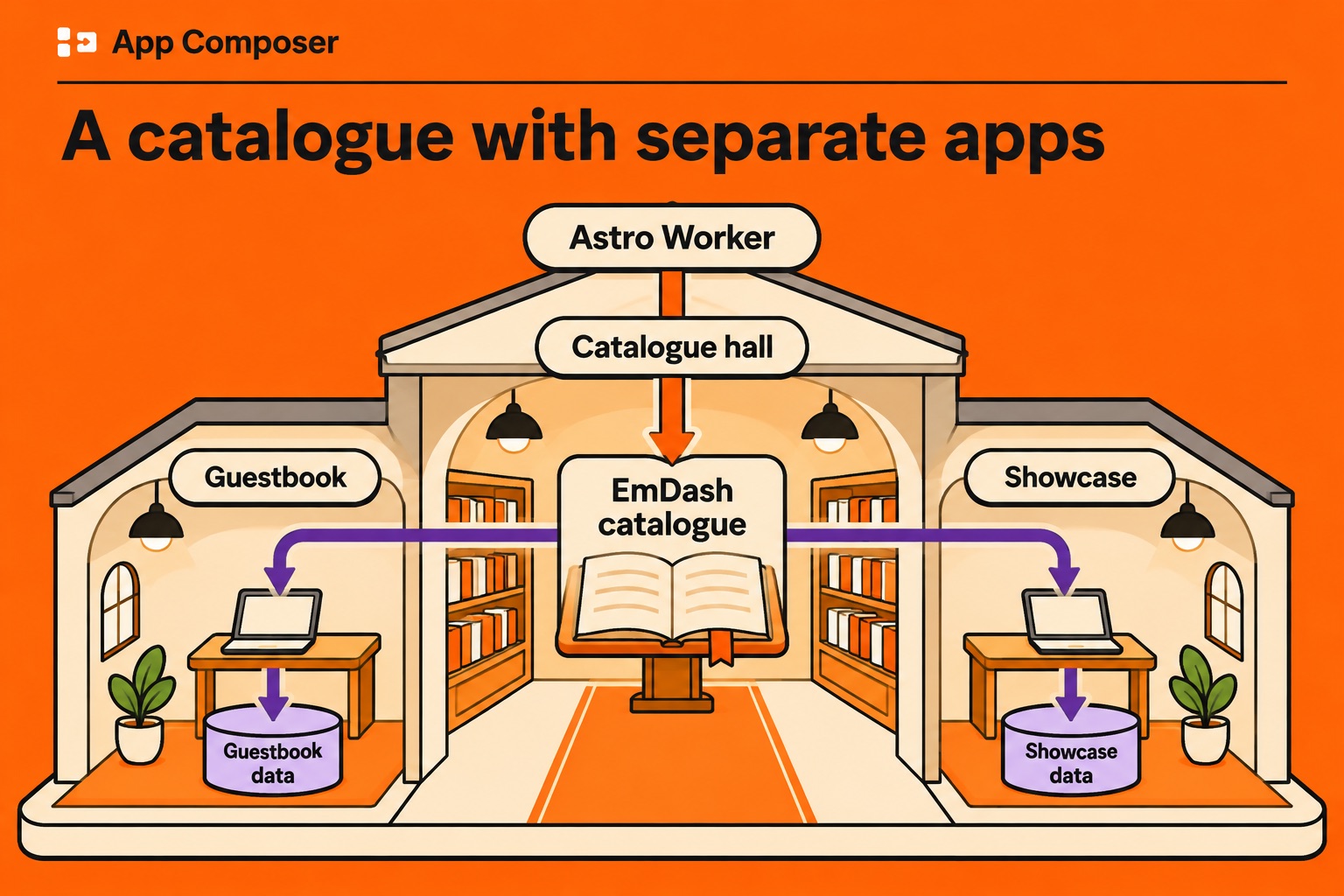
App Composer brings separate apps together in one catalogue. Each app keeps its own source, data and release. Media Studio is an MIT-licensed Cloudflare Worker with its own D1 database, R2 bucket and deployment, so it can keep running without Composer. Your projects and media remain yours if a vendor changes an endpoint, although generation still depends on that vendor. This build ran into that limit firsthand.
There are trade-offs. A hosted service may be quicker to set up and offer editing or collaboration features this studio does not have. With your own studio, you manage the Cloudflare account, provider keys and releases, with help from your agent. The quality of generated work still depends on the model and your direction.
You can keep your work, change the software and review an estimate before each paid request. Check your provider invoice for the actual charge.
What actually works
The initial release had a project library, uploads, stills and reference variations, masked edits, background removal, upscaling, two image-to-video models, sound, a browser mix, storyboards, scoped Composer access and deliberate publication. The 9:16 example was finished locally from the saved takes. Since then, the studio has added MiniMax H3 and a separate on-device storyboard renderer. The table records what was exercised in the original build, including the provider route that was blocked.
One still model changed after that table’s date. Studio Draft was SDXL Lightning in the original build and is now FLUX.2 Klein 9B: SDXL Lightning was retired on 15 November 2026, before Cloudflare’s 20 November cutoff. Saved jobs keep their exact SDXL attribution, and a revision 1 or 2 brief that chose it opens with a visible recovery notice.
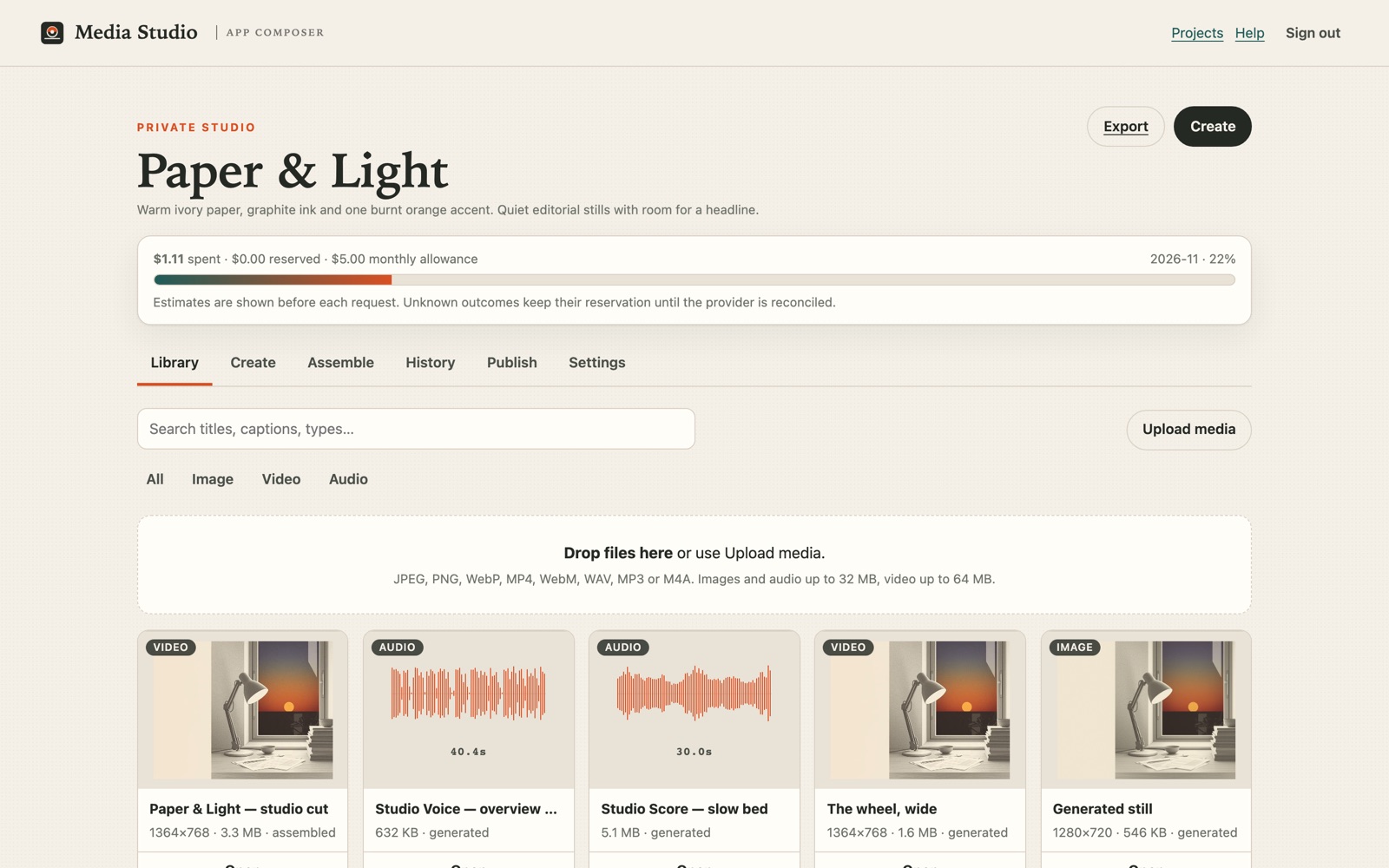 Open full-size image
See what this build could do
| Capability | What it is | State |
|---|---|---|
| Stills | Four Workers AI still routes — Studio Print, Studio Film, Studio Draft · FLUX.2 Klein 9B and Studio Quick — plus a FLUX.2 Klein 4B reference variation | Live |
| Masked edits | Studio Fill: a real painted mask or a 25% extended frame through FLUX.1 Fill. The original, mask and result are separate assets with their own hashes. | Live |
| Cutout and upscale | BiRefNet background removal (transparent PNG) and Clarity 2× upscale, saved as variants of the selected still | Live |
| Video | Hailuo 2.3 Standard and Kling 2.5 Turbo Pro, image-to-video, 5–10 seconds | Live |
| Sound | Studio Score beds of 10–30 seconds, Studio Voice narration and Studio Effect cues, each a separate saved asset | Live |
| Mix | Up to four saved music, narration and effect tracks with trim, gain and fades, mixed deterministically in the browser to a new WAV | Live |
| Assembly | 2–6 saved takes plus the mixed bed, one bounded ffmpeg composition up to 60 seconds | Provider blocked |
| 9:16 cut | A real 720 × 1280, 17.79 s derivative that keeps the selected order and saved sound, produced by deterministic finishing here. The in-product compose path is coded; the provider result route currently refuses new jobs with 403. | Derivative live; control blocked |
| Scoped access | Composer sign-in, workspace and selected project context, separate read/edit/generate/publish/admin grants, re-checked on the server at dispatch | Live on this release |
| Library | Projects, search, filters, viewer, rename, download, delete, export | Live |
| Publication | Deliberate public pages with separate withdrawal and byte-range media | Live |
| Voice cloning | Excluded: no consent or rights workflow, and no need for it here | Not built |
| Full non-linear editor | The composition is a bounded manifest, not a general NLE | Not built |
The phrase "open-source Higgsfield-style studio" describes the kind of workspace, not feature parity. Higgsfield's models, camera controls, casting and node graph are proprietary and are not reproduced here. This studio calls vendor models; it does not train or host foundation models, and the providers used here charge for inference.
What the studio reuses
Get Ready checks the machine, Init saves the brief, and the handoff tells the agent which source and build steps to use. The studio uses Composer's EmDash session and workspace permissions. Read, edit, generate, publish and admin are separate grants, checked with Composer again before a privileged request.
Oyster hosted Prints for an earlier Composer capability run. Media Studio uses Levi’s Darkroom for Studio Print, Film, Quick and Detail on the studio owner’s Workers AI account.
The studio owns access, the budget and the results in its R2 bucket. Cloudflare Images fits Detail references that need resizing or format conversion. The studio checks Darkroom originals for private metadata before publication. You can recover a retained still without another paid request. Read the Darkroom integration assessment.
For this studio, I built audio parsing and waveforms, storyboards and bounded renders, signed links for render inputs, image variants, browser mixing and scoped Composer sessions. I also added editing for saved compositions and made the 9:16 derivative described below.
From a sentence to a specification
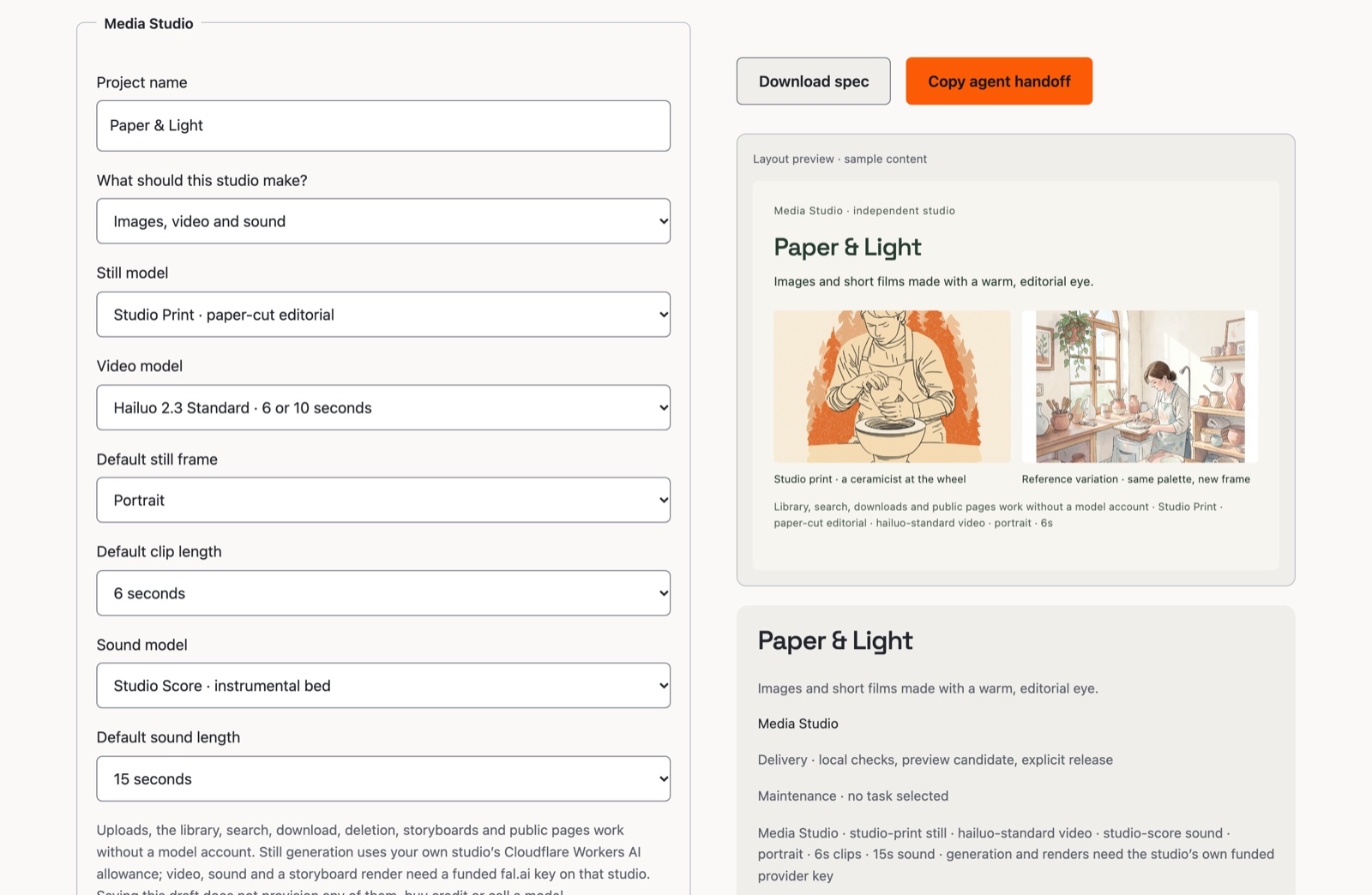
Start in Init → Media Studio and select Use this starting point to apply the preview to your draft. Then choose what you want to make, the starting models, frame and clip length. This release also added sound model and bed-length defaults. Saving the draft does not provision services, buy credit or call a model.
 Open full-size image
The draft becomes a portable specification. Its media section holds validated defaults; it does not provision services:
"mediaStudio": {
  "version": 3,
  "focus": "both",
  "imageModel": "studio-print",
  "videoModel": "hailuo-standard",
  "audioModel": "studio-score",
  "audioSeconds": 15,
  "aspect": "portrait",
  "durationSeconds": 6,
  "projectName": "Paper & Light"
}
Revision 3 is current and adds the retired Studio Draft migration: a draft that chose SDXL Lightning loads as FLUX.2 Klein 9B with a visible recovery notice. Revision 2 added the sound defaults, and revision 1 drafts still validate: their sound fields are filled in rather than rejected, so an older saved brief does not break. The studio rechecks every value on its own server; the spec never enables a provider or promises a model the studio has not qualified.
You can export the spec and import the same choices later. "Copy agent handoff" gives your agent the pinned source, storage and secret names, and build plan. It also identifies the steps you handle: accounts, sign-in and spending approval. The handoff describes the work; the deployment showed it had been done.
How the agent builds it
Get Ready checks the local toolchain and the accounts the agent will need. Init's handoff pins the studio repository and an exact commit, then names the owner-controlled resources: a D1 database bound as DB, an R2 bucket bound as MEDIA, a Workers AI binding named AI, the owner passphrase and session secret, and an optional fal.ai key. The agent creates the owner's copy, applies the migrations in order, deploys, and reads back the live source identity.
The studio's release script refuses to run from a dirty tree, from a branch that is not main, or from a commit that is not pushed. It runs the focused tests once, deploys, then fetches /healthz and fails the release unless the live revision equals the commit it just shipped. That is the difference between "deployed" and "I think it deployed".
Two parts of the build needed particular care: paid requests and access to files during a render.
Keeping track of requests
Before a paid image, video, sound or assembly request is sent, the studio records the job and reserves its estimated cost. It checks concurrent requests against the same budget. If saving a finished result fails, the retained file can be saved again without making another generation request. When the provider outcome is unknown, the reservation stays in place until the job is reconciled; the studio does not automatically resubmit it.
How a provider render gets its files
At the time of this build, a composition took two to six saved clips, each up to 10.5 seconds, with a 60-second total and one saved audio bed. A provider render sends one composition and copies a successful result to the studio's bucket. The job stays recorded if you close the browser, and a failed result read does not silently start another render.
The provider needs to read the participating files, and the studio's media endpoints require a current session. Rather than making a project public, the server signs one asset for one project with an expiry:
// src/lib/render-links.mjs — one asset, one project, thirty minutes
const payload = `${assetId}.${projectId}.${expires}`;
const signature = await hmac(env.SESSION_SECRET, payload);
const url = new URL(`/render-input/${assetId}`, origin);
url.searchParams.set("p", projectId);
url.searchParams.set("e", String(expires));
url.searchParams.set("s", signature);
The link cannot list other files, grant a session or expose a provider key, and it expires. The interface tells you before a render because the provider still receives the clips.
The assembled frame follows the first keyframe. An earlier approach sorted portrait takes first to influence the frame, but that changed the chosen shot order and still produced 4:5 instead of 9:16. The next section describes the correction and the provider failure that followed.
Making something real
I opened the studio from the Composer menu and started making. The normal route uses my existing sign-in, while the independent studio also has its own sign-in. Access to reading, editing, generating, publishing and administration is granted separately; provider keys and the studio passphrase stay off the browser.
Editing with a mask
Masked editing came later, using FLUX.1 Fill on fal. Pick a still, paint the area to change and describe what belongs there. The studio saves the source and a same-size, white-on-black mask separately, then saves the fill as a linked variant with its own hash. The original stays in the library.
Outpainting uses the same tool deliberately: the studio builds a 25% larger canvas, centres the original, and masks the new border. Background removal is BiRefNet returning a transparent PNG; upscaling is Clarity at 2×. All three were exercised on the deployed studio, and all three save the result beside the source rather than over it.
One implementation detail was not obvious: the provider's image fetcher refused the studio's signed HTTPS links, even though they were public and worked in a browser. The fix was to send the exact bytes as a data URI. That is also why the fill job now stores the source and mask hashes on the generation row: the provider never needs a durable public copy of either.
Making and saving sound
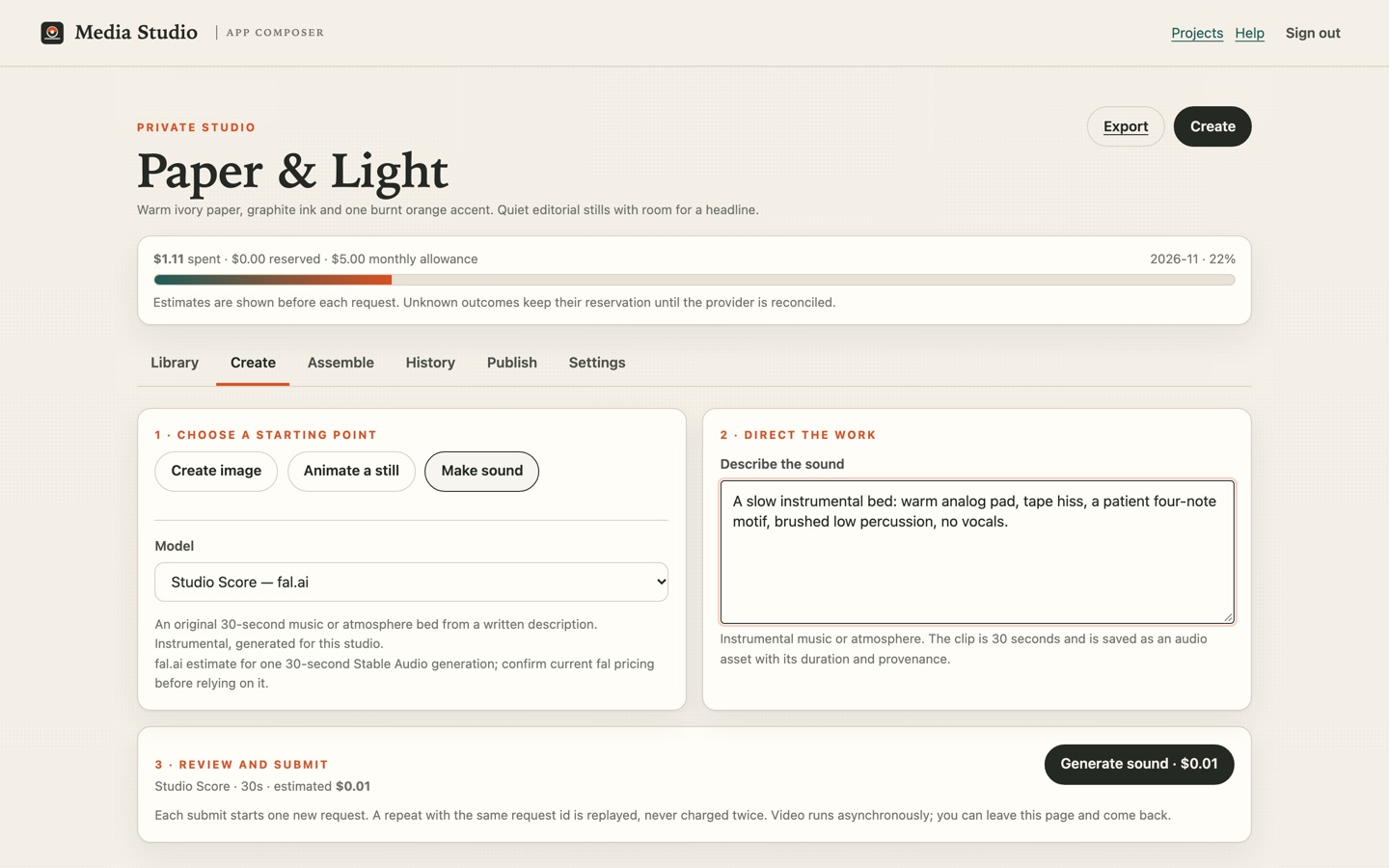
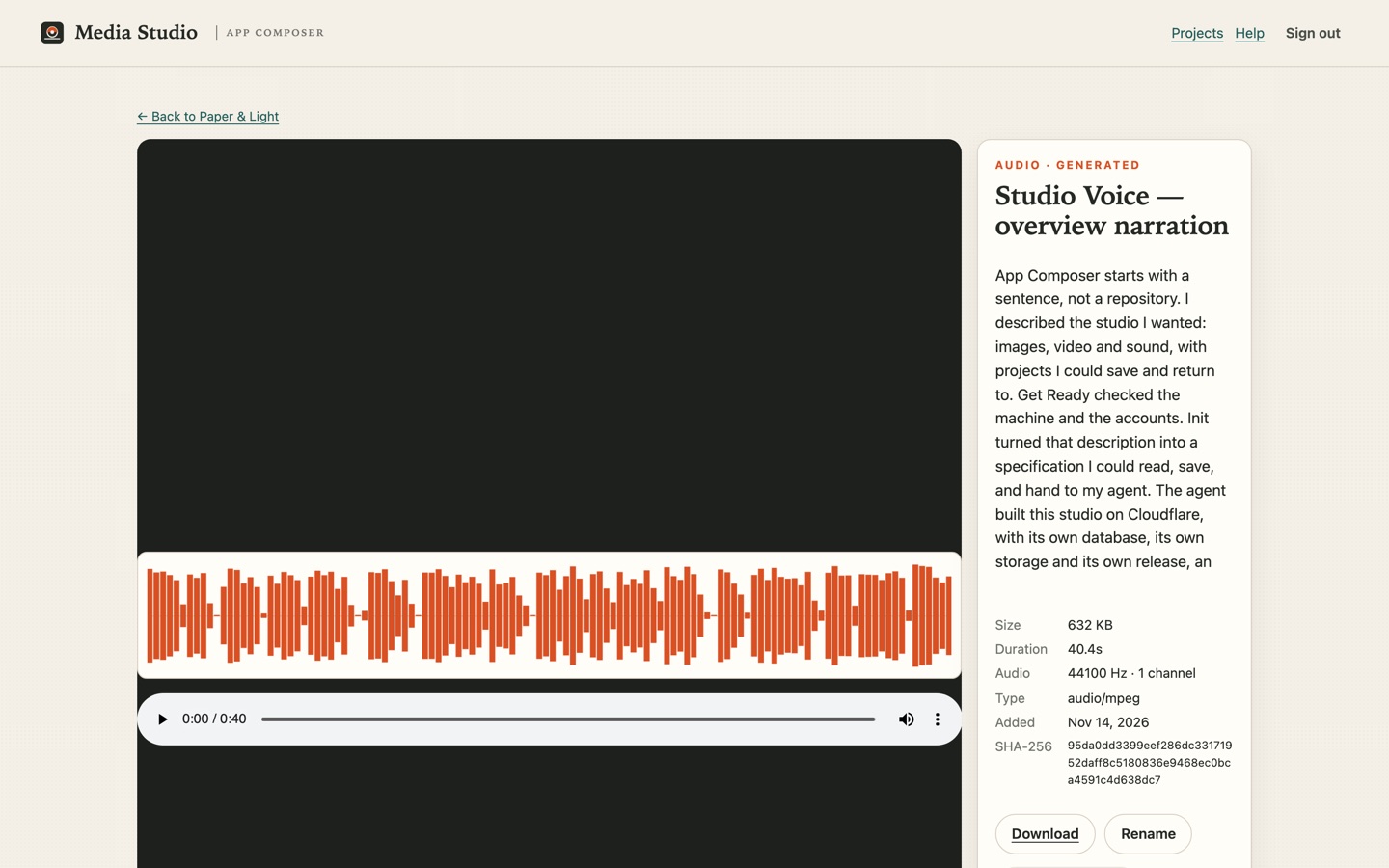
You can upload WAV, MP3 or M4A audio, or generate an instrumental bed with Studio Score and narration from your own script with Studio Voice. The studio saves each sound separately, records its duration, sample rate, channels, source and estimated cost, and draws the waveform from the audio file.
 Open full-size image
Learn to direct a shot, plan sound and share a result in the creative field guide →
The length matters. A 30-second bed under a 17-second cut left thirteen seconds of black and music. A 17-second bed produced a 17.02-second master with 16.79 seconds of picture: three takes, one bed and no long tail.
Putting the takes in order
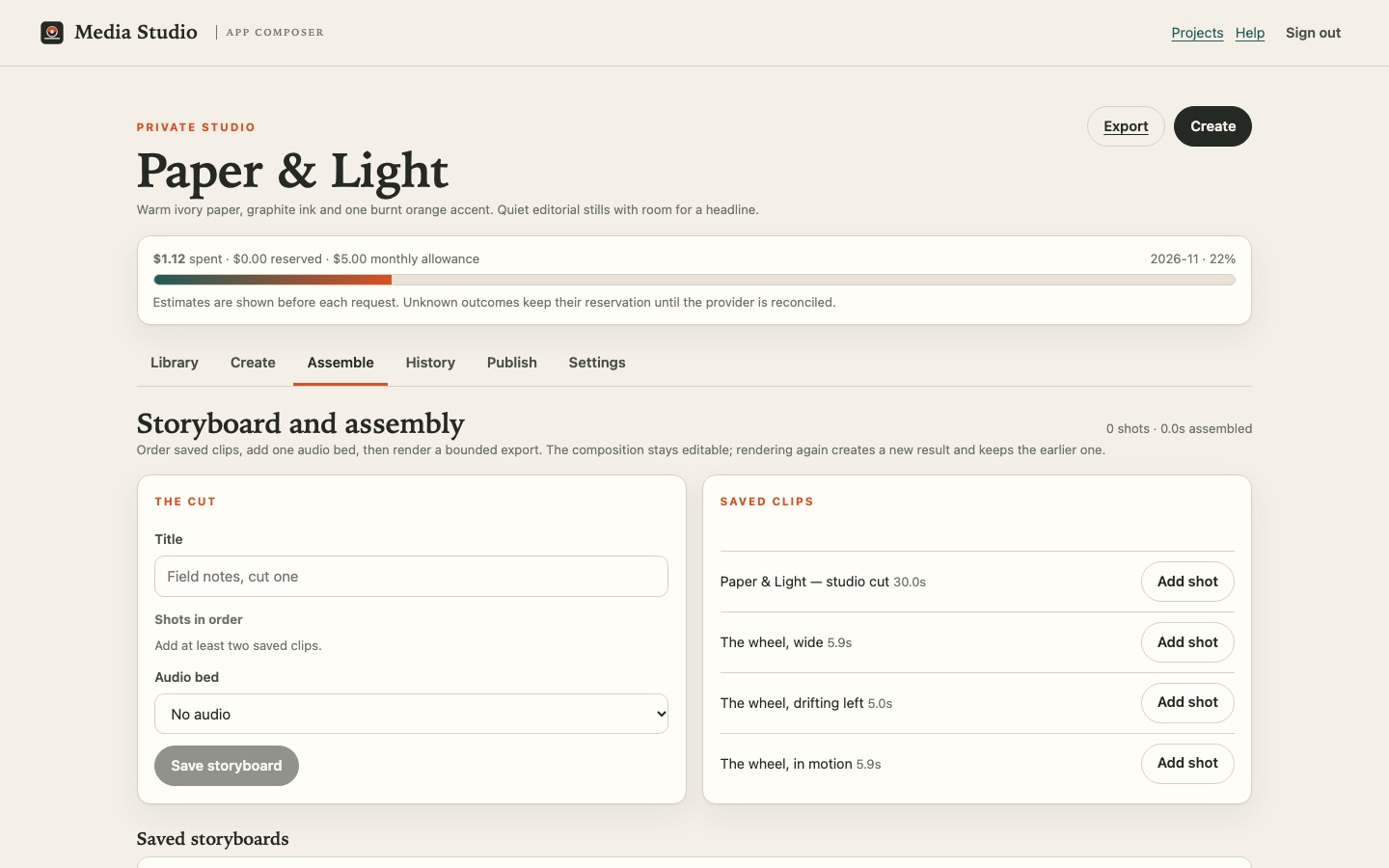
A storyboard keeps your saved takes in order with their soundtrack. You can see the running length and the estimated cost before a provider render. The saved storyboard stays editable, and each render keeps the version it used.
Mixing the soundtrack
Music, narration and effects stay separate, so you can change the mix without losing a take. Choose up to four tracks, set their timing, trim, volume and fades, then save a new WAV. The browser makes the mix; the saved tracks and settings remain available if you want to rebuild it. The provider render uses that WAV rather than applying unsupported gain settings itself.
Studio also has a separate on-device renderer for saved storyboards. It can make an MP4 with a saved mixed soundtrack in a compatible browser; the original clip audio is muted. This does not fix the provider’s blocked 9:16 compose route described below.
The 9:16 cut, after the bug
The previous release called a 768×960 file 9:16. It was 4:5, and the portrait-first sort changed the edit to suit the frame. Both were defects, and the claim was withdrawn. The replacement has two parts. The studio composes a deliberate 1080×1920 slate, generates one 720×1280 vertical slate video with Wan 2.5, and keeps those bytes so later renders reuse them. The selected takes then follow in the order chosen, composed into the slate's frame with the saved sound. No shot is re-sorted, stretched or silently regenerated.
During this build, fal accepted new ffmpeg-api compose requests but returned a 403 permission error before reading the files. The studio keeps the request and offers Reconcile to check its result without submitting another paid job. A signed provider webhook confirmed the underlying model error. The 9:16 example on this page was instead finished locally with ffmpeg using the saved takes, sound and slate. It is 720×1280, 17.79 seconds, with 44.1 kHz stereo audio; the command and hashes are kept in the studio. The earlier 4:5 file remains in the project too.
 Open full-size image
 Open full-size image
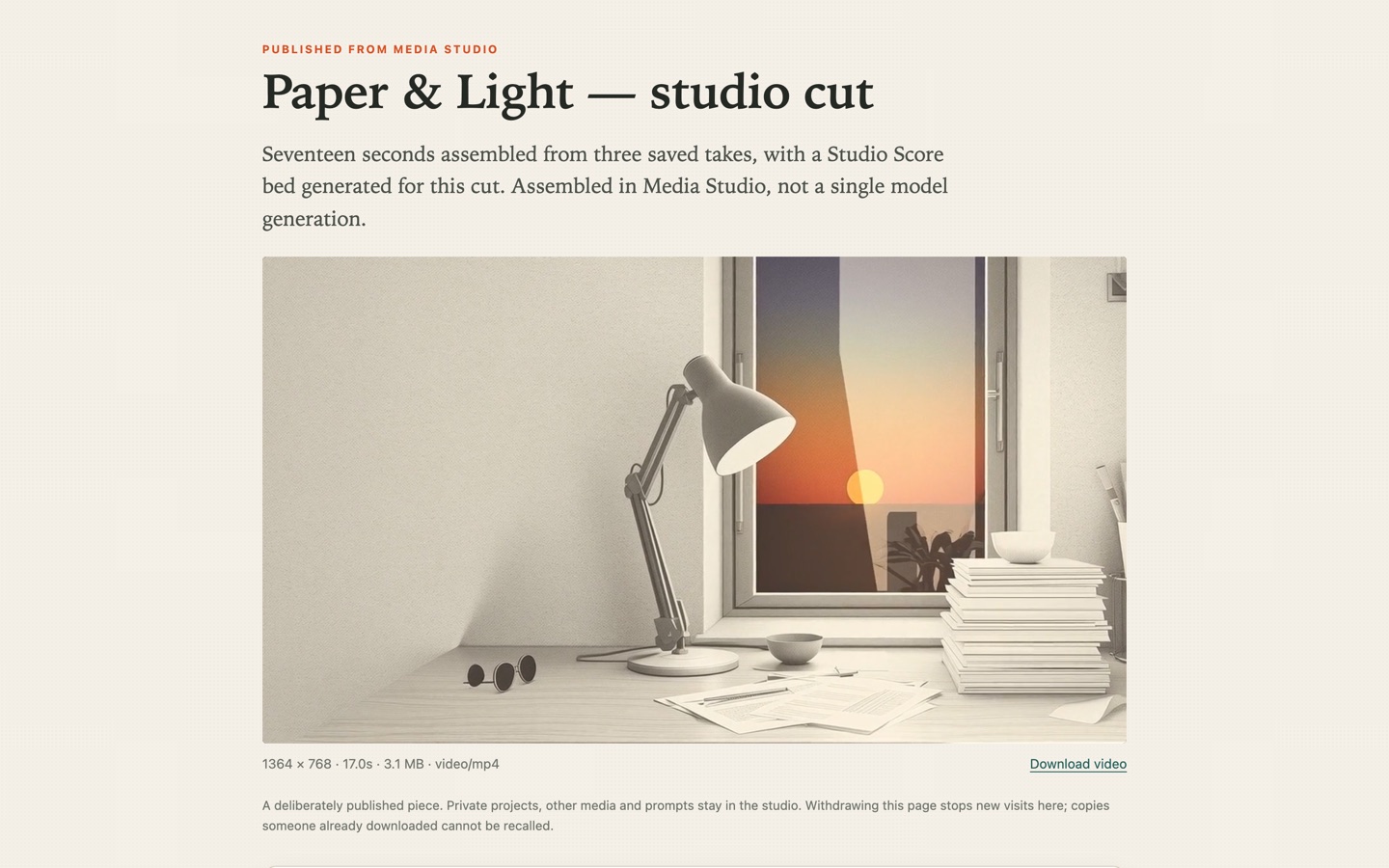
A published page shows its title, description and media, and can include downloads and source credits. Prompts, other projects and filenames stay private, and private APIs return 401 to a signed-out visitor. Withdrawing a page stops new visits, though it cannot recall a file someone has already downloaded.
 Open full-size image
Make a clip from Pippa
We took a Pippa animation made in Media Studio, trimmed it to four seconds and made a poster from the finished clip. You can try the same free clip and frame tool with your own video.
Fighter: After Hours
We clipped Fighter gameplay and added music using Studio’s local tools, then exported this 720p film. The accompanying square study is Before the Bell, a separate artwork made in Media Studio.
Watching it happen
Overview · 1 min 8 s
Transcript · narration generated in this studio with Studio Voice
Walkthrough · 1 min 24 s
Transcript and chapter list · six illustrated chapters
Both films are narrated, edited guides using Studio and Composer screen images and title cards. They explain the workflow; they do not by themselves prove each live interaction or provider request. The assembled result they show can be opened on the public page.
The current private film
After Hours — The Room Wakes is the project in progress in the owner's studio. It is a 33-second, six-scene cut built from six Hailuo 2.3 takes, one per saved scene, with a mixed 33-second soundtrack and a 1280 × 720 master. One chosen scene was re-generated, the storyboard moved to revision 4 and the earlier master was kept alongside the replaced take. A 720 × 1280 portrait derivative carries the same mix. The song, the masters and the project stay private: nothing from that film is published here or in the showcase above.
Made in the studio shown here
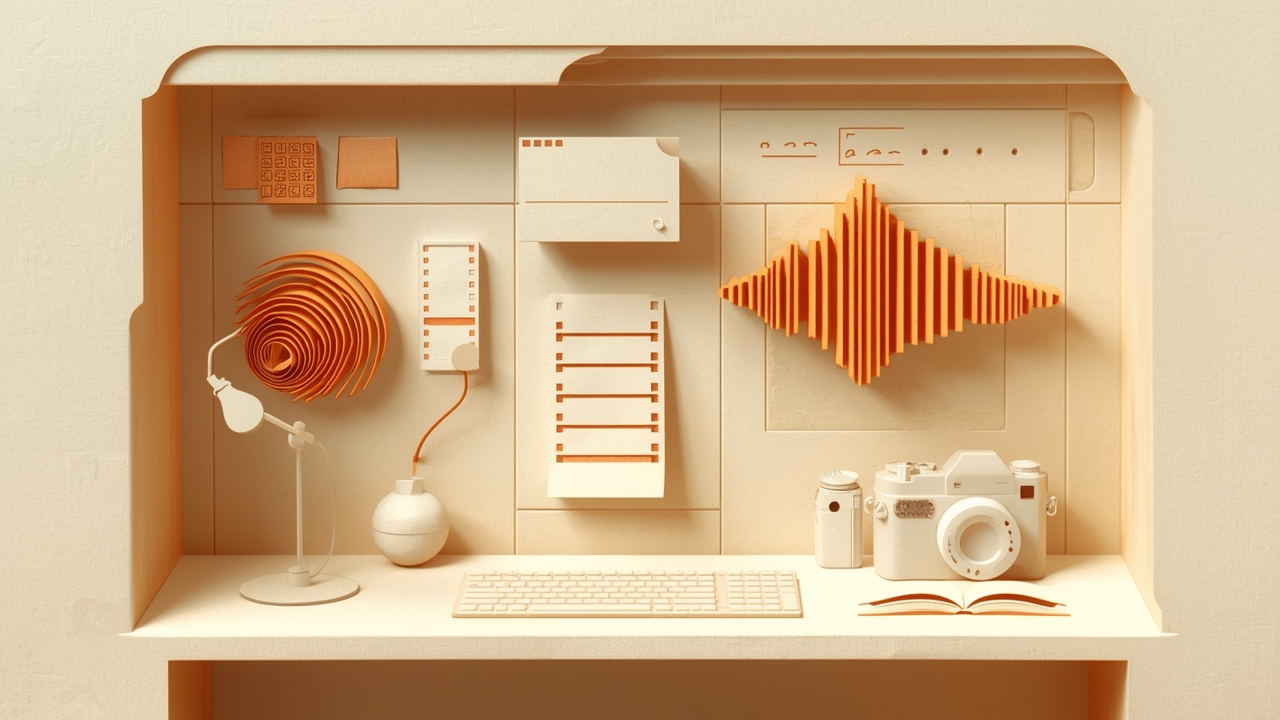
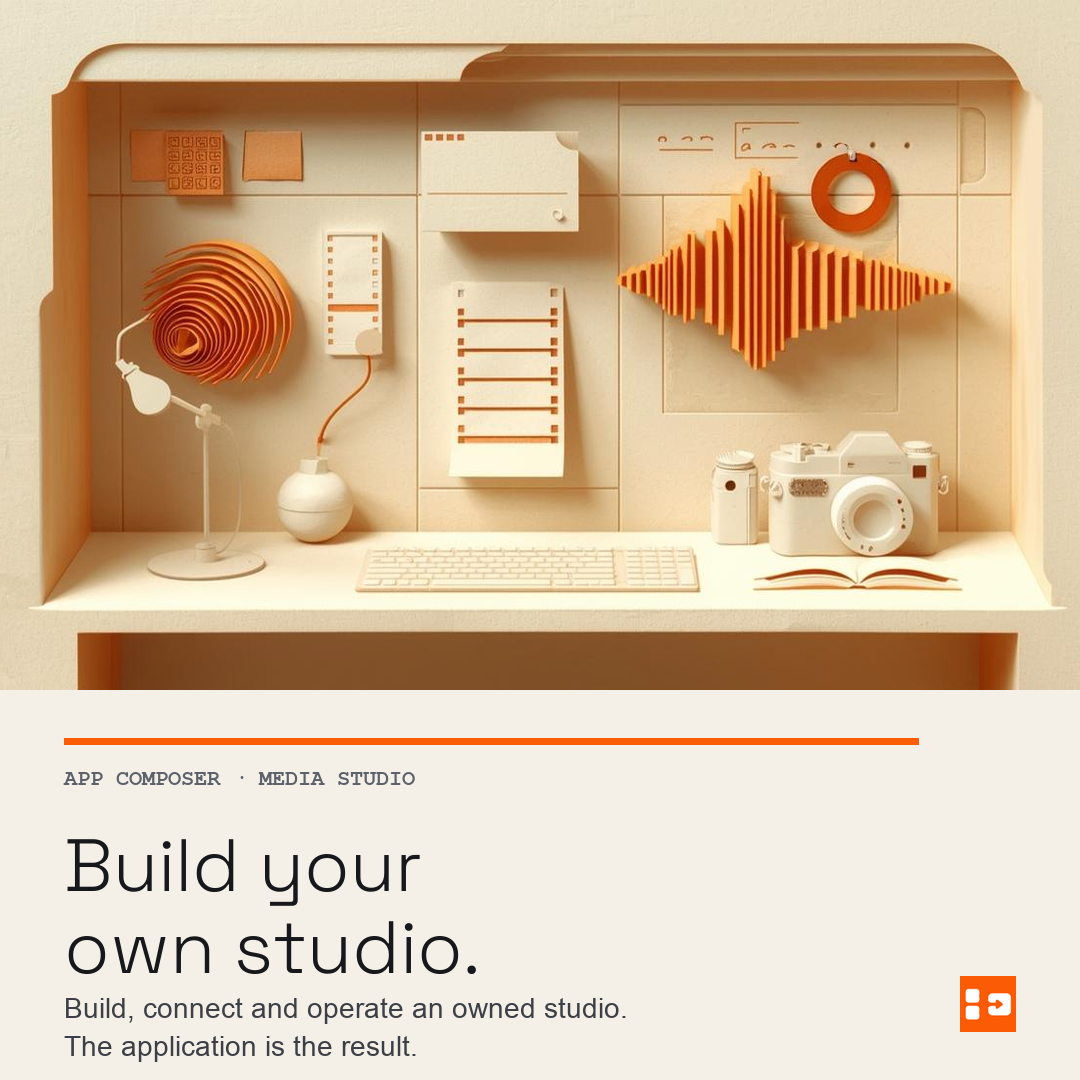
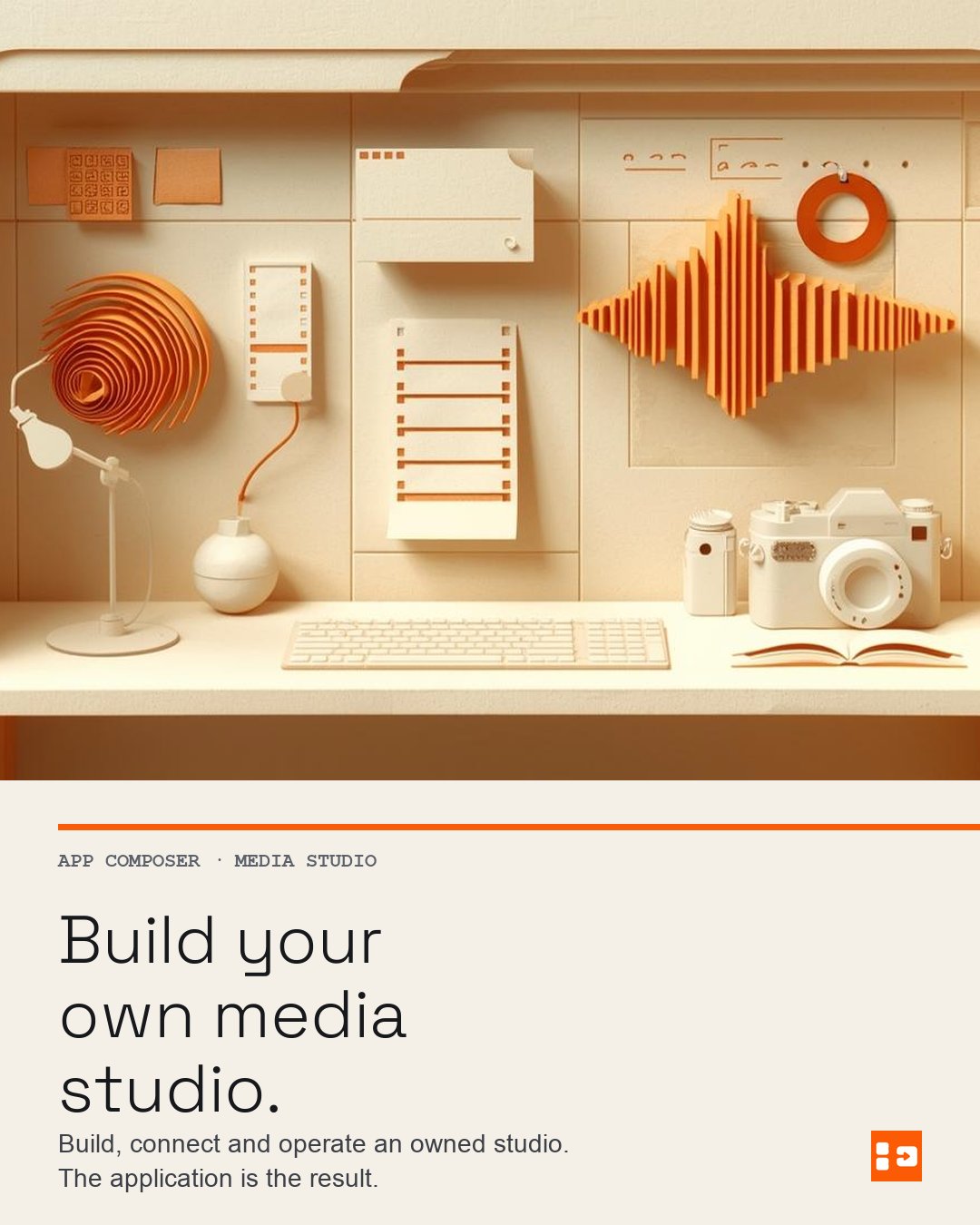
We used the studio we built to produce the App Composer artwork and motion used on this page.
For the launch artwork, I wanted a tactile paper studio with warm ink and an orange signal running through it. We made the first still with Workers AI, then painted a mask over the empty panel and asked FLUX.1 Fill to add the ring. The original, mask and edited image are all still in the project.
Hailuo 2.3 brought the selected image to life, and Studio Effect supplied a sound bed. We added the type, mark, crops and vertical frame in a separate finishing step.
See how this artwork was made
| Step | Route and setting | Retained result |
|---|---|---|
| Brief | Studio project “App Composer — studio launch artwork” | Private project with creative direction and references |
| Original still | Workers AI @cf/leonardo/lucid-origin, wide 1280×720 | d88505518eec… · 2.5 US cents |
| Mask | White ellipse, 1280×720, saved as its own asset | 6cbd0e338458… |
| Selected edit | fal.ai fal-ai/flux-pro/v1/fill, same-size mask, data-URI inputs | 0b2a33581a21… · 1280×704 · US$0.05 est. |
| Motion | fal.ai Hailuo 2.3 Standard, image-to-video, 5.875 s | 4397ccfbd639… · 1396×768 · US$0.28 |
| Sound bed | fal.ai ElevenLabs sound effects v2, 5.04 s | f8d78e30d18a… · 44.1 kHz stereo · 0.8 US cents |
| Derivatives | Deterministic Pillow/ffmpeg finishing: 1200×630, 1080×1080, 1080×1350, 720×1280 | ba20457c953e… · 111c9cbc1e79… · 3aaf19084a2d… · afca9b476e8b… |
| Publication | Deliberate Studio pages plus this article’s OG/share card | 9:16 motion · share card |
| This project | Historical studio requests | About US$0.36, plus US$0.50 for the separate 720p slate test |

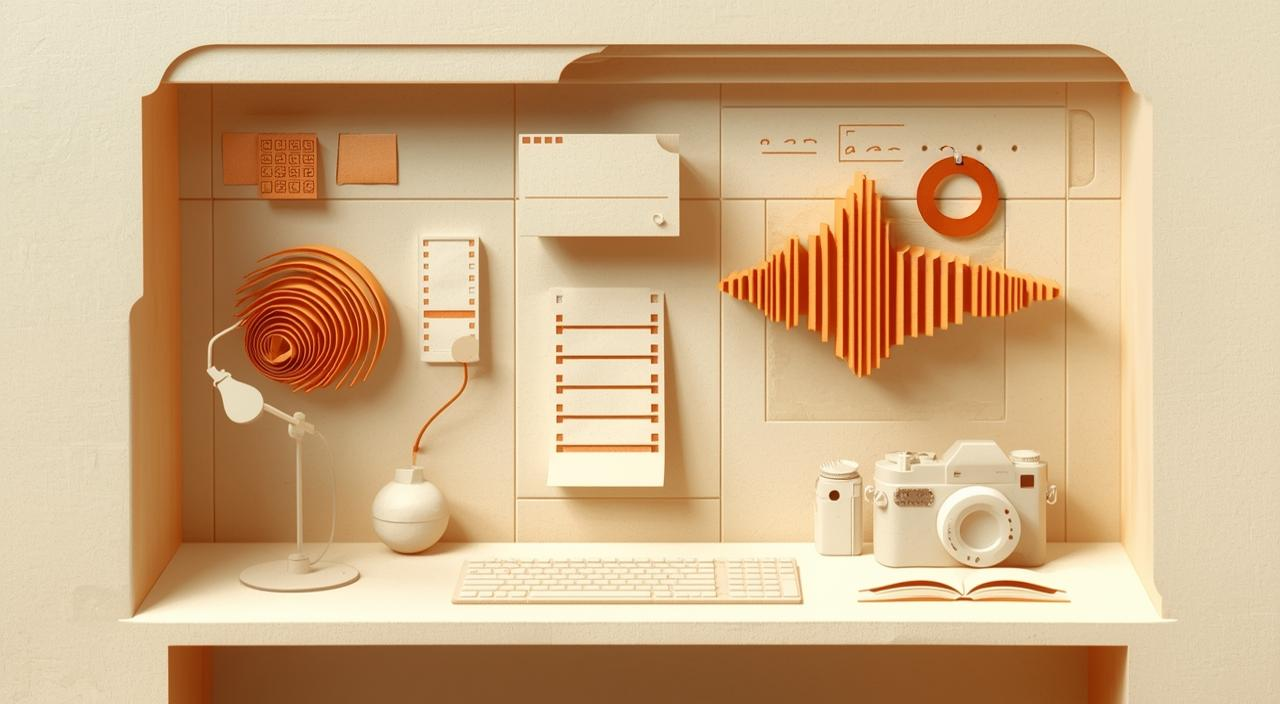
Film details
720×1280, 5.875 seconds, 9:16; −16.5 LUFS integrated, −5.2 dBFS true peak. The title, mark and frame were added during finishing. The earlier, quieter mix is retained in the project.
Full-quality originals and derivatives: original still, selected edit, mask, generated motion master, share card, square, portrait, 9:16 motion. The studio also keeps the job records, provider request IDs, model settings and lineage; the public files do not carry prompts or credentials.
The artwork illustrates this article; the product captures show the application itself. The studio did not generate its screenshots, and a model used in another project is not evidence that the same endpoint works here.
From Woodhouse Share to Fighter
Across the Ring began as a Woodhouse poster based on the Fighter tutorial storyboard. We imported the original through the deployed Media Studio, kept the credit alongside it and used Studio Detail to make a square study with a new viewpoint and lighting. The Studio saved the source and the result as separate files.

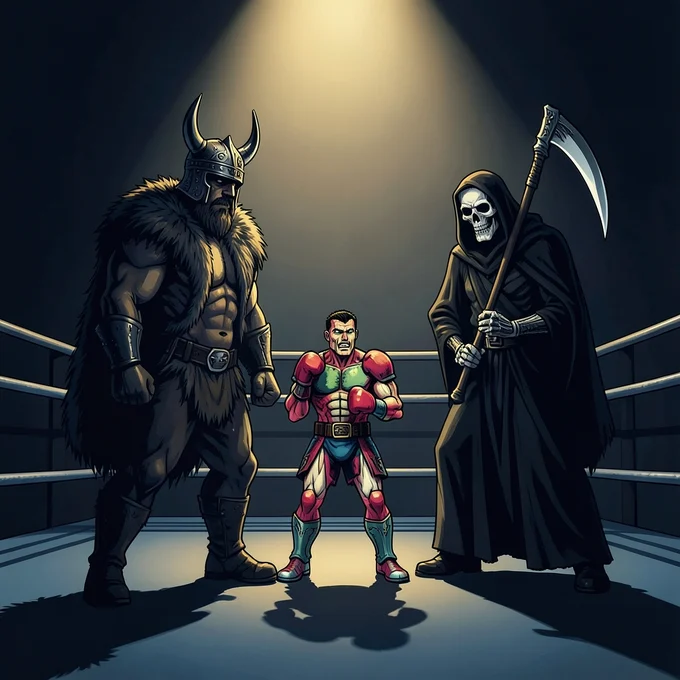
Sample the original poster’s colours · Follow the same workflow · Browse Share artwork
Changing the application
After the first release, I fixed two problems in the same application. The existing projects and media stayed in place.
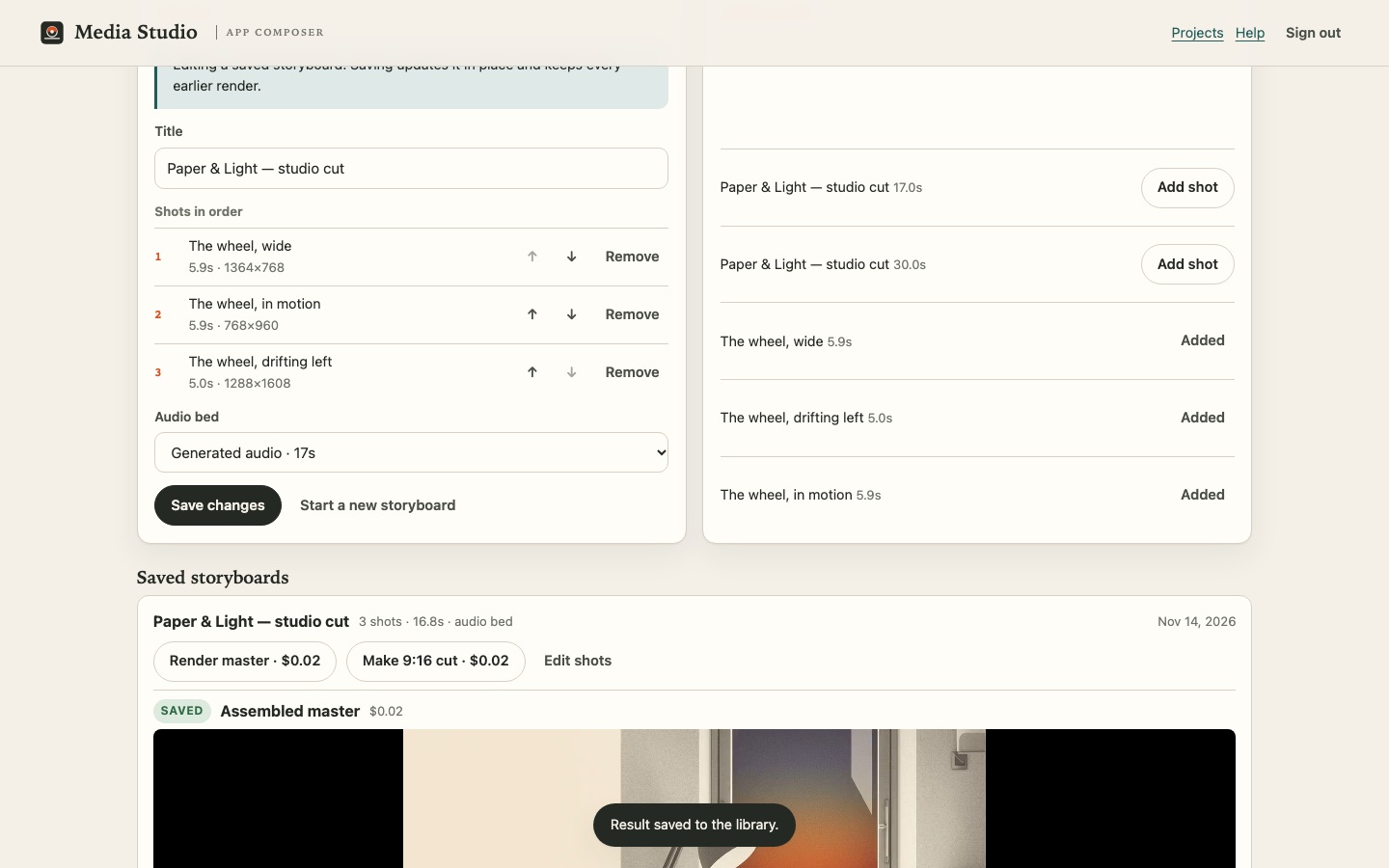
The Assemble tab could not see saved storyboards. The server returned them; the client loader dropped the field. The tab said "No storyboard saved yet" while a storyboard with a rendered master existed — exactly the kind of defect that only appears when you look at the real page.
The audio length was fixed at thirty seconds. You could generate a bed, but not one that fit a seventeen-second cut. The container ended up thirty seconds long with a mostly silent tail.
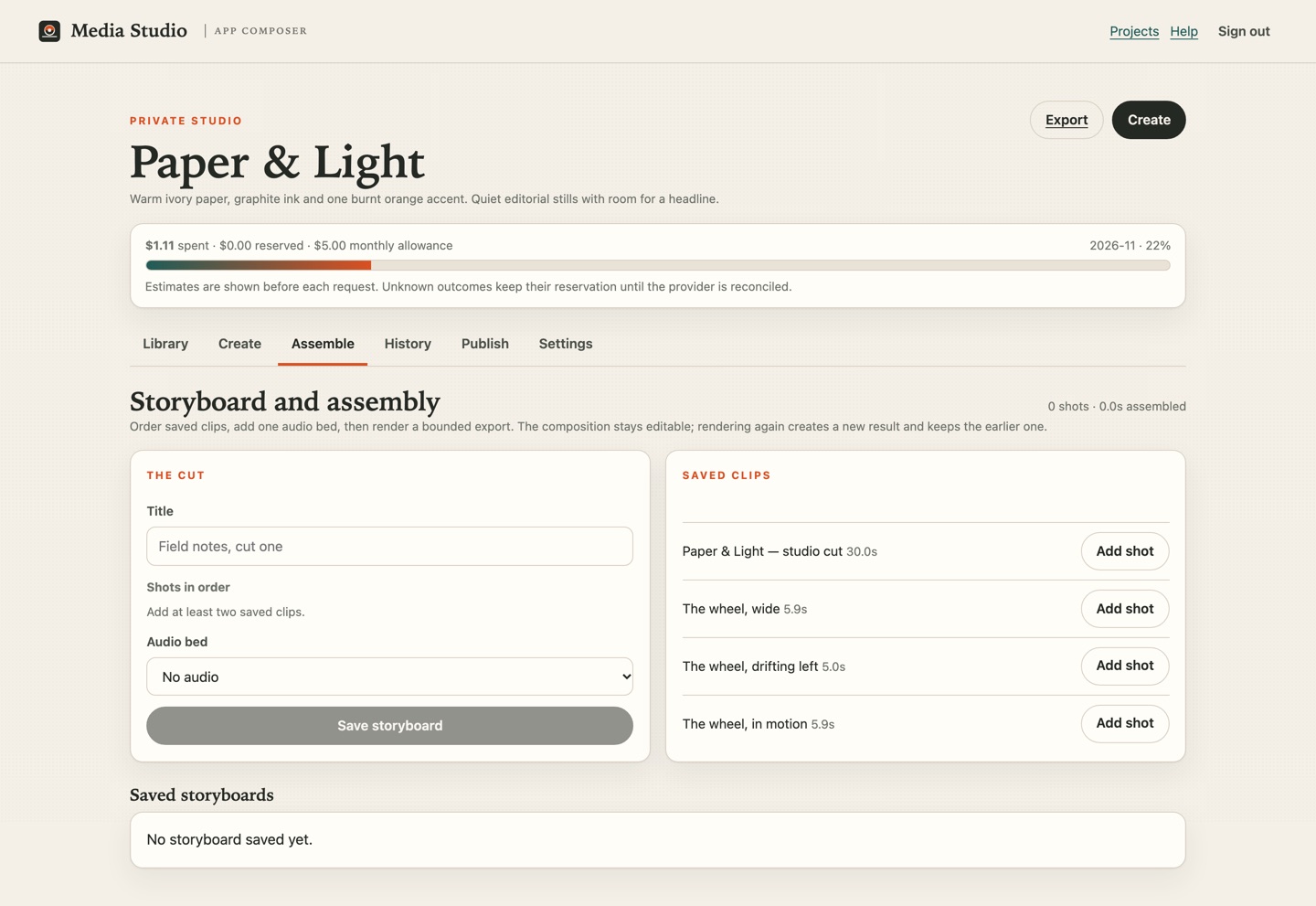
 Open full-size image
The change shipped as one release:
- Sound length: Studio Score takes 10, 15, 20, 25 or 30 seconds, and the estimate scales with the request.
- Edit in place: "Edit shots" loads the existing storyboard; saving updates that composition rather than duplicating it.
- Honest state: a cut that has changed since its last render says so, and earlier renders stay attached to it.
- The loader fix: saved compositions survive the trip from the API to the tab.
Three smaller fixes came from the same evidence pass: assembled exports no longer appear in the shot picker (so a cut is never built from another cut), published media is briefly cacheable rather than cached for a day, and every published file, download and signed render input now answers byte-range requests with a real 206 and `Content-Range`, so a player can seek without downloading the whole file.
The portrait output needed correcting too. The file labelled 9:16 was actually 4:5, and the studio had changed the shot order to fit the frame. We removed the label and designed a replacement that keeps the chosen order and sound.
How the portrait render was designed
The studio composes a 1080×1920 slate and generates one 720×1280 vertical slate video with Wan 2.5. It keeps that video for reuse, then places the selected takes after it in order with the saved sound. The job engine records one generation with two bounded provider stages, using the same budget, retained-byte and tombstone rules as other renders.
During the build, fal accepted new `ffmpeg-api` compose jobs but returned a 403 when the studio tried to retrieve their results. The same problem blocked normal assembly. The 9:16 film on this page was therefore finished locally with ffmpeg from the saved takes, sound and slate. It is 720×1280 and 17.79 seconds long.
Provider error and render details
The result route returned "Access denied: You do not have permission to use this endpoint" for a payload that had worked earlier. Fal's documented direct call and a scheduled dispatch were also tested; neither completed reliably inside the studio runtime, so the queue path remained. The studio accepts fal's signed webhook, saving a master when execution succeeds and recording the model error when it fails. The in-product portrait path was coded and unit-tested, but this provider block prevented us from calling it fixed. The local derivative has SAR 1:1 and DAR 9:16.
Before/after is measurable: the same storyboard still has the 17.02-second and 30.00-second masters in the library, both downloadable, neither regenerated. The failed 4:5 job and the failed provider compose jobs remain in history as the honest record of what was learned.
The same release added masked fill, cutout, upscale, Studio Effect, browser mixing and scoped Composer grants.
How it fits together
Composer helps you create and manage the app. Media Studio runs separately on Cloudflare and calls model providers using its own keys.
The selected sign-in improvement uses Cloudflare Access's email codes and passkeys, while agents keep their application keys. It needs no extra identity server. The existing Composer-to-studio handoff already avoids a second password; the account binding and live email/passkey rollout are still being completed. Our Cloudflare integration brief explains the experience, prerequisites, Oyster contribution and optional Tailscale connection.
The data flow for one assembly: a storyboard row stores the ordered take ids and the bed. The render job copies that manifest, signs a read link per participating asset, calls one compose request, then copies the resulting MP4 and its metadata into R2 and D1. Reopening the project reads those bytes; it does not call a model. The public page reads the same asset through a publication record, and withdrawal revokes that record.
Composer's native "Images & video" capability calls Prints on an authorised Oyster installation and records the job in Composer. Media Studio uses its own routes and job records.
Evidence, costs and limits
For the routes marked live below, we checked provider documentation and account access, sent a bounded request through the studio, and opened the saved output in the released interface. The table also records the routes that did not work.
See the provider results
| Route | Provider and model | State |
|---|---|---|
| Stills | Workers AI Lucid Origin, Phoenix, FLUX.2 Klein (9B and 4B). The original build's SDXL Lightning route was retired on 15 November 2026; saved jobs keep that attribution. | Live; SDXL Lightning retired |
| Masked fill and outpaint | fal.ai FLUX.1 Fill, same-size mask, data-URI inputs | Live |
| Cutout and upscale | fal.ai BiRefNet v2 and Clarity Upscaler | Live |
| Video | fal.ai Hailuo 2.3 Standard, Kling 2.5 Turbo Pro | Live |
| Music | fal.ai Stable Audio | Live |
| Narration | ElevenLabs voice model hosted by fal.ai | Live via fal |
| Sound effect | ElevenLabs sound effects v2 hosted by fal.ai | Live |
| Narration (direct) | ElevenLabs official API | Not qualified: no account key held |
| Assembly / in-product 9:16 | fal.ai ffmpeg compose | Blocked: new jobs return 403 at the result route; earlier masters retained |
| 9:16 derivative | Same saved takes, sound and slate; deterministic local ffmpeg finishing | Live: 720×1280, SAR 1:1, DAR 9:16, 17.79 s |
| Scoped access | Composer session, workspace grant, project-scoped studio session, server re-check | Live on this release |
Direct ElevenLabs access is the one provider gap: the studio uses ElevenLabs' models through fal's hosted endpoint, billed by fal, and says so. ACE Music is excluded from this delivery entirely — no adapter, no key, no promise. The ffmpeg compose result block is an external permission change on the selected fal account; it is not a claim that the application or its stored work disappeared.
What we estimated spending
See the individual requests
| Object | Route | Recorded amount | Outcome |
|---|---|---|---|
| Studio Score, 30 s | fal.ai `fal-ai/stable-audio` | 1.5 US cents | Audio bed, saved |
| Studio Score, 17 s | same route, shorter request | 0.85 US cents | Bed that fits the cut |
| Studio Voice, 40 s | fal.ai `fal-ai/elevenlabs/tts/eleven-v3` | US$0.06 | Overview narration |
| Studio Voice, 23.25 s | same route | US$0.06 | Narration asset, measured from the saved file |
| Assembly, two earlier renders | fal.ai `fal-ai/ffmpeg-api/compose` | US$0.04 est. | 30 s and 17 s masters kept; the route now refuses new jobs |
| Brand still, 1280×720 | Workers AI `@cf/leonardo/lucid-origin` | 2.5 US cents | Original editorial illustration |
| Masked fill, 1280×704 | fal.ai `fal-ai/flux-pro/v1/fill` | US$0.05 est. | Signal ring; original, mask and result kept |
| Cutout and upscale | BiRefNet + Clarity Upscaler | 2.2 US cents est. | Two saved variants of the selected edit |
| Studio Effect, 5 s | fal.ai `fal-ai/elevenlabs/sound-effects/v2` | 0.8 US cents | Sound bed for the motion cut |
| Brand motion, 5.875 s | fal.ai Hailuo 2.3 Standard | US$0.28 | Generated promotional motion |
| 9:16 slate video, 5 s | fal.ai Wan 2.5 720p, direct test | US$0.50 | Saved and reused as the vertical opening |
| 9:16 deterministic finish | local ffmpeg, no new inference | US$0 | 720×1280, 17.79 s, SAR 1:1, DAR 9:16 |
| Historical two-project snapshot | recorded during this build | About US$1.66 | About US$1.30 for Paper & Light and US$0.36 for the brand project; not invoice-confirmed |
Hosting and storage are separate from generation charges. This studio shares a Workers Paid account with other projects and stores its files in R2, so the account and stored files can cost money even when no one is making media. During this build, a snapshot of two projects recorded about US$1.66: about US$1.30 for Paper & Light and US$0.36 for the brand project. A separate 720p Wan slate test added US$0.50; a rejected 1080p attempt and smaller LTX tests added roughly US$1.08. These are historical request figures, not a monthly price or today's total, and none has been confirmed against an invoice. The saved narration runs for 23.25 seconds; an earlier version of this article incorrectly said 33 seconds.
What is not claimed
- Fal compose returned a permission error. During this build, new fal ffmpeg compose jobs were accepted but the result route returned 403. The 9:16 derivative shown here was finished with local ffmpeg. A separate on-device storyboard renderer is now available in compatible browsers.
- Grants are workspace/installation level. The handoff binds one selected project and the studio enforces that scope, but People & access does not yet offer a separate grant row per studio project. A wrong-project session is denied; per-project grants remain next work.
- No voice cloning, no training on anyone's likeness, no rights workflow for either.
- No full non-linear editor, no 4K, no 30-second single inference, no guarantee of identity across takes. The composition is a bounded manifest with a 60-second ceiling.
- The mix is a browser mix. The controls and the offline WAV path exist; a complete music + narration + effect mix was exercised as a saved asset, not as a full studio export through the blocked compose route.
- No by-ear listening review. Duration, loudness, transcript and waveform checks were performed; an audio-capable reviewer did not listen to the complete films or the generated mix in this run. That gate remains open.
- No physical-device matrix. Phone, tablet and wide-desktop layout were checked in the browser at representative widths, including both themes and reduced motion; that is not a hardware claim.
- The films are illustrated walkthroughs using Studio and Composer screen images and title cards. They do not prove an uninterrupted live build, provider request or fresh-instance lesson.
Start free, without an account
These tools run entirely in your browser, on your own files, with no sign-in, model call or upload. They are the same operations the studio uses for preparation, and they are a fair way to judge the product before you connect Cloudflare or a provider account.
- Edit an image — resize, crop and convert an image, then download the result or make a four-size social kit from a PNG.
- Trim a song — choose a track, set the in and out points, add fades and export a new WAV. The source file is never modified.
- Clip and frame a video — pick the start and end, crop to 9:16, 16:9 or 1:1, choose a poster frame and export a new MP4.
- Add music to a clip — combine your own video with a song or narration, mute or duck the original soundtrack, add fades and export a playable clip.
Your files stay on your device until you press Import to Studio. That step needs the owner session and a project, and the imported file arrives as a new private asset. The public gallery shows what other people published from a studio built this way; nothing appears there unless its owner published it.
Repeat it
You need a Cloudflare account on Workers Paid and a supported agent. Fal.ai generation and provider rendering also need a funded fal.ai key. Creating those accounts, signing in and approving spend are yours; the agent does the technical work. You do not need Docker, Wrangler or a database seed to start.
- Build your studio: select Use this starting point, name your project, choose defaults and save the draft.
- Export the specification and copy the agent handoff. Check the pinned source and the human-only actions.
- Let your agent create your copy, apply the migrations, add the secrets and deploy. It should read back the live revision.
- Open the studio from the Composer menu. The entry names your workspace and selected project; read, edit, generate, publish and admin are separate grants. Upload something, make a still, apply a real mask, generate a bed or effect, mix the soundtrack, build a storyboard, publish one piece.
- Come back when you want to change something. The same application and its saved work are still there.
The illustrated tutorial carries the same recipe chapter by chapter, with what you do, what the agent does, what you should see, and how to recover. The portable brief used here is a real exported example, not a sketch. The share kit carries the public-safe text, alt text and derivatives from the brand project.
Source: loftwah/composer-media-studio (MIT) · loftwah/app-composer. Oyster, Prints and Darkroom are Levi's MIT-licensed Fungi projects. The studio keeps their attribution and licence notices.