
App Composer projects
See what you can build.
Give your agent a brief and keep the app it builds. Start from a working example, then make your own version with its own source, data and release.
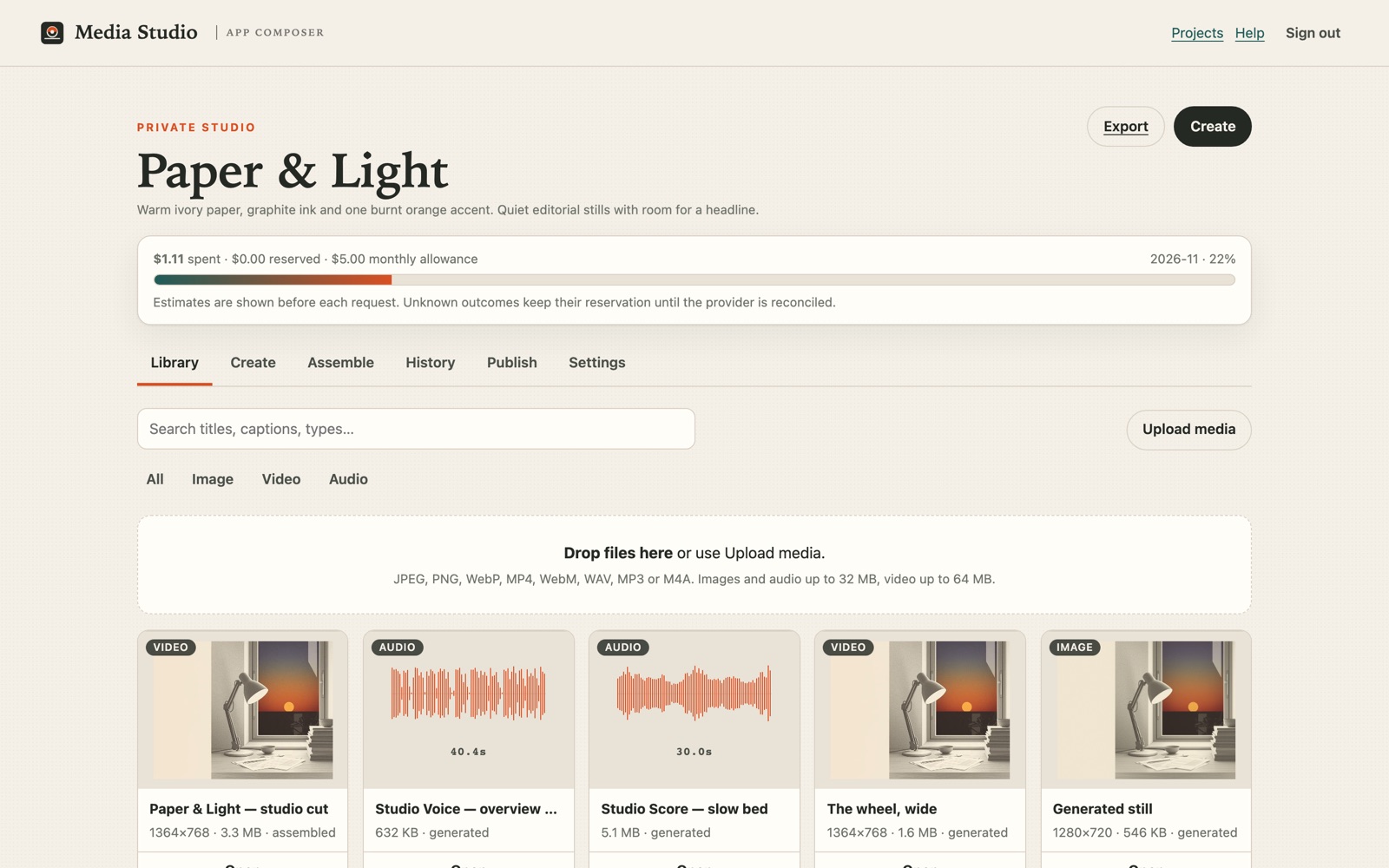
Composer reference app
Media Studio
Create images and clips, cut a short film and publish it from a studio you can run yourself. See the Composer build, download a brief for your own Studio, or try the browser-local image tools right now.
Media Studio build and release record
- First release. Studio went live on 13 November 2026 from Studio source c6ee157, the revision Composer Init pinned for that release. Check the current live build.
- Resume an existing Studio project. After Studio #314 shipped, an unreadable input left the same contact-sheet PNG, layout JSON and ZIP downloadable. The existing owner then returned through Composer to the same saved After Hours storyboard, revision 5. Read the production checks.
- Build a listening timer from owned artwork. The owner exported a palette from Fighter’s Gutter Grin artwork in Studio, applied a swatch in Launch Kit and adopted the icons and social image in Composer Init. The Composer CLI built the timer from the adopted files. All 13 generated file hashes matched, and the timer started, paused and reset in a local browser. Read the local build and playback checks.
- Try a palette handoff. Open Image Tools, load the sample, extract its palette and download the JSON. Choose Use palette in Launch Kit, select your JSON and apply a swatch. Continue into Composer downloads the ZIP and opens the review, where you select that ZIP. In a 390px-wide Chrome window, the ZIP carried the applied colour
#80cba1and Composer displayed two rendered previews. We stopped at the import review. Read the verified workflow. - Replay brief. The Paper & Light specification was exported from Composer Init on 14 November. It starts a replay from Studio source fec91ba, a later revision. Open the Media Studio blueprint for its preset, locked apps and the evidence behind it.
- Palette export. Studio #186 added CSS palette export. We used Foilbury artwork from Woodhouse Share and verified that the CSS and GIMP downloads contained the same eight colours.
- Artwork search. Studio #189 added Woodhouse artwork search to the same Studio. In the Foilbury project, we selected “A finish catches light · Build note” by title and checked its credit and original link before import. Selection evidence · Studio source c1ed37ac.
- From artwork to an app draft. Studio #193 exported eight colours from the Foilbury build-note artwork by Woodhouse. We applied one swatch in Launch Kit #17 and downloaded this card. Composer Init reviewed the package and adopted it into a separate app draft on this device.
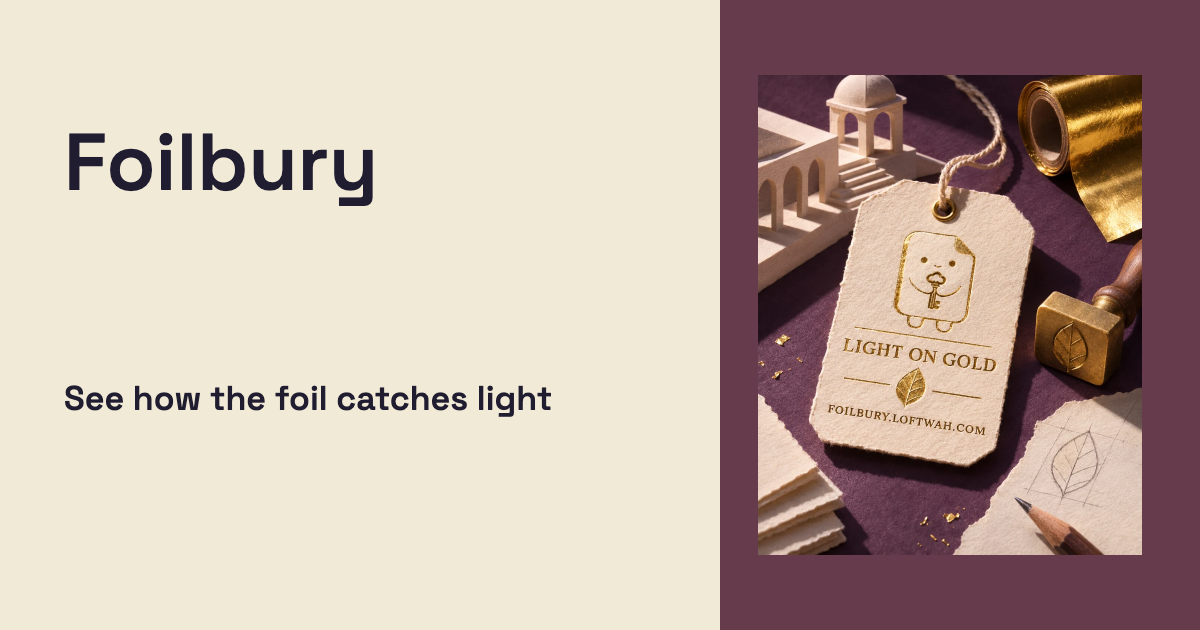
Open the 1200 × 630 card generated by Launch Kit. - Web-ready images. Studio #195 added a local WebP preset. At desktop and phone widths, the Foilbury Moss artwork from Woodhouse stayed 1200 × 1200 and went from 1,365,546 to 153,240 bytes. The export kept 563,105 fully transparent pixels and the original file was preserved. Web-ready images release record.
- Image export receipt. Studio #196 added a JSON receipt with the exact source and output hashes, dimensions and settings. The same Moss PNG produced the same 153,240-byte WebP on desktop and phone. The downloaded receipt stayed identical when the rotation control changed after export. Image export receipt record.
- Social kit export. Studio #204 added four social sizes and a downloadable ZIP with a receipt for each image. Download the Foilbury Moss PNG from Woodhouse, select it in Image Tools and choose Make 4 social sizes. Our signed-out desktop and phone runs kept the transparent pixels and produced matching WebPs at 1080 × 1080, 1080 × 1350, 1080 × 1920 and 1920 × 1080. Social kit release record.
- Check the public guide before sharing. Open Link Check and paste the URL of Make the next shot count. On 17 November, our run found the exact canonical URL and 23 passing checks, with four items to review. Read the live inspection record.


These releases were built and verified by the Studio operator. An independent owner replay is still pending. See the Creator Hub build and its follow-up.
From the portfolio
Explore working software from our wider portfolio. Project and release details were recorded on 16 November 2026.
Bubbles
Bubbles is an arcade bubble shooter you play in the browser or on your phone: line up a shot, match three or more and clear the board. It’s for anyone who wants a quick round that feels good on a small screen.
Project and release details
- Relationship to Composer
- Showcased. Live entry answered 200 on 16 November 2026 and the Woodhouse dossier records the release. No Composer build record, registered app manifest or project blueprint is recorded in this inventory, so the relationship is showcase only.
- Recorded status
- Game systems · deterministic play · active · Replay-checked competition, rebuilt presentation.HTTP 200 on 16 November 2026 · Bubbles
- Source revision
- not recordedThe live page ships a static build marker (`<meta name="x-bubbles-build" content="bubbles-build-marker">`) but no commit revision.
- Blueprint
- blueprint not recorded
Fighter
Fighter is a collectible squad battler you play in the browser: collect characters, build a squad, then commit moves on a shared real-time Charge Strip. It’s for players who like turn-based combat with authored characters, story and several modes to work through.
Project and release details
- Relationship to Composer
- Showcased. Live entry answered 200 on 16 November 2026 and publishes its own deployed revision (81f5350e). No Composer build record, registered app manifest or project blueprint is recorded in this inventory, so the relationship is showcase only.
- Recorded status
- Game systems · authored journeys · active · Fight activity and optional browser returns are liveHTTP 200 on 16 November 2026 · LOFTWAH FIGHTER · Pick Your Fight
- Source revision
81f5350e1796046046e22c450ac9f6d23bf84a5cObserved 16 November 2026`<meta name="loftwah-fighter-build">` on the live page. The revision resolves in the project repository (checked during this run); private history is not published.- Blueprint
- blueprint not recorded
SHOALSHOT
SHOALSHOT is a fishing game for phones and desktop: read the water, place your shot and land the catch. It’s for anyone who wants a calm, quick session, and it is designed phone-first.
Project and release details
- Relationship to Composer
- Showcased. Live entry answered 200 on 16 November 2026; the dossier records a shipped save repair and an open release acceptance. No Composer build record, registered app manifest or project blueprint is recorded in this inventory.
- Recorded status
- Game systems · mobile-first presentation · active · Card artwork in, save repair shipped, release acceptance open.HTTP 200 on 16 November 2026 · SHOALSHOT — Read the tide. Place the shot.
- Source revision
- not recordedThe live page, `/healthz` and `/build.json` return the app shell without a revision.
- Blueprint
- blueprint not recorded
Protocol 11
Protocol 11 is a card game for two to four players around one table, played solo or with friends. Twelve stages and a cast of characters make a house you play through, and every round brings a new Protocol.
Project and release details
- Relationship to Composer
- Showcased. Live entry answered 200 on 16 November 2026; the dossier records the refusal and campaign-film delivery. No Composer build record, registered app manifest or project blueprint is recorded in this inventory.
- Recorded status
- Game systems · responsive table play · active · The refusal answers; three films delivered.HTTP 200 on 16 November 2026 · Protocol 11 — a card night for two to four seats
- Source revision
- not recorded`/api/health` reports status and platform only; the page publishes no revision.
- Blueprint
- blueprint not recorded
MAX
MAX is assistive technology for a wheeled walker: a companion app, a small computer on the walker and a gateway designed to find it, hear it and stop it. It’s for people who use a walker and the people who look after them.
Project and release details
- Relationship to Composer
- Showcased. Live entry answered 200 on 16 November 2026; the dossier records a software prototype with physical proof still open. No Composer build record, registered app manifest or project blueprint is recorded in this inventory.
- Recorded status
- Assistive technology · software and hardware · active · Software prototype · physical proof openHTTP 200 on 16 November 2026 · MAX — Your walker, made smarter.
- Source revision
- not recorded`/api/health` returns `{"ok":true}`; the page publishes no revision.
- Blueprint
- blueprint not recorded
LoftwahFM
LoftwahFM is a music catalogue, radio stations, original shows and a browser player that games can reuse. Listen to the stations and shows in your browser; game builders can drop the same player into their own game.
Project and release details
- Relationship to Composer
- Showcased. Live entry answered 200 on 16 November 2026; the dossier records a versioned game-radio client. No Composer registration, app manifest in this repository or project blueprint is recorded in this inventory.
- Recorded status
- Music platform · shared radio capability · active · A radio player with recognisable listening companionsHTTP 200 on 16 November 2026 · LoftwahFM | Independent music and radio
- Source revision
- not recordedThe live page publishes no build revision.
- Blueprint
- blueprint not recorded
App Composer
App Composer helps you build and maintain a web app with a coding agent. Prepare the environment with Get Ready, describe what you need in Init, then build a standalone app or connect existing ones. The live Creator Hub pairs a ceramics portfolio with a moderated guestbook.
Project and release details
- Relationship to Composer
- Showcased. App Composer is the product hosting this page, and its release identity is recorded from /build.json and /healthz. Its own source is not recorded as a Composer-built app in this inventory, so it stays showcased rather than claiming a self-build.
- Recorded status
- Development tools · agent-operated setup · active · Creator Hub reference is liveHTTP 200 on 16 November 2026 · App Composer — build apps with your agent on Cloudflare
- Source revision
8d5d0c50390cdd64df48b3040758f6398087fb0eObserved 16 November 2026`/build.json` (`commit`) and `/healthz` (`revision`) both returned this value. Repository main at the same check was `f703ad33151bb5a5274697ff5e639fb4389e9331`.- Blueprint
- blueprint not recorded
Foilbury
Foilbury is a free collectible-card album for original characters: browse the public cabinet, open a capsule and keep the copy, its finish and its serial. It's for anyone who likes collecting character art from the Loftwah worlds, and the public shelf is open without an account.
Project and release details
- Relationship to Composer
- Showcased. Live entry answered 200 on 16 November 2026 and the public repository names the album source. No Composer build record, registered app manifest or project blueprint is recorded in this inventory.
- Recorded status
- Collectible cards · public showcase · active · Public card cabinetHTTP 200 on 16 November 2026 · Foilbury — characters worth keeping
- Source revision
- not recordedThe live page publishes no build revision.
- Blueprint
- blueprint not recorded
Liferaft
Liferaft is a local desktop app for searching MBOX email archives, previewing messages and recovering attachments or selected messages.
Project and release details
- Relationship to Composer
- Showcased. Live entry answered 200 on 16 November 2026 and the public repository carries the desktop release. No Composer build record, registered app manifest or project blueprint is recorded in this inventory.
- Recorded status
- Desktop tool · email archive recovery · active · Desktop release availableHTTP 200 on 16 November 2026 · Liferaft · Recover messages and attachments from MBOX archives
- Source revision
- not recordedThe live page publishes no build revision; the desktop download is the product surface.
- Blueprint
- blueprint not recorded
Legacy record
Pirates
Pirates is a reconstruction of Master of the Secret Sea, built from the original game’s own source evidence rather than from memory. It’s for players who remember the original, and for anyone curious about how a lost game gets rebuilt honestly.
Live address not recordedProject recordProject and release details
- Relationship to Composer
- Legacy record. Paused by owner decision on 7 November 2026. The attempted host returned 522 on 16 November 2026 and no public build is recorded, so there is no canonical live URL; only the Woodhouse record is kept.
- Recorded status
- Game reconstruction · source archaeology · paused · PausedHTTP 522 on 16 November 2026 · Not a live entry point. The dossier routes to the project record; this host answered with a Cloudflare 522 error page.
- Source revision
- not recordedNo public build. The public dossier links no live app and the attempted host returned 522.
- Blueprint
- blueprint not recorded
Plans With You
Plans With You proposes a plausible calendar commitment, confirmation and deliberate cancellation so you can keep a block of time your own. The public site explains the idea and accepts waitlist interest; paid membership is not open.
Project and release details
- Relationship to Composer
- Legacy record. Retired by owner decision on 26 October 2026. The archived public repository and live site remain as a historical record; no Composer build record, connection or blueprint is recorded in this inventory.
- Recorded status
- Calendar protection · planned cancellation · retired · RetiredHTTP 200 on 16 November 2026 · Plans With You
- Source revision
- not recordedThe retired site publishes no build revision.
- Blueprint
- blueprint not recorded
Asset Hunter
Asset Hunter is a searchable catalogue of creative and technical assets that records where each one came from and what rights apply. It’s for builders and agents who need to know where something came from, what rights apply and who to credit.
Project and release details
- Relationship to Composer
- Legacy record. Retired by owner decision on 26 October 2026. The live site still answers 200 and publishes its own revision; no Composer build record, connection or blueprint is recorded in this inventory.
- Recorded status
- Asset discovery · rights-aware delivery · retired · RetiredHTTP 200 on 16 November 2026 · Asset Hunter — A field guide to what can be made
- Source revision
0269c6799b6f1ac8cb9a4e14345dadbd6367976dObserved 16 November 2026`<meta name="asset-hunter:commit">` and `<meta name="asset-hunter:build">` on the live page. The revision resolves in the project repository (checked during this run); private history is not published.- Blueprint
- blueprint not recorded
How we record project provenance
Each relationship reflects evidence collected by 16 November 2026. The live status comes from that dated record.
- Built with Composer
- A Composer brief produced the app's own source and a build record names the result. This is the strongest claim here and needs a real receipt.
- Connected and managed
- The app publishes a versioned manifest and Composer connects to it for scoped work. Its source, data and release stay with its owner.
- Blueprint-rebuildable
- A shipped, pinned blueprint can rebuild a faithful slice on another owner's account. The two current blueprints are reference recipes that no independent owner has replayed, and neither rebuilds these project records.
- Showcased
- Presented here from a dated, verified public record. This inventory records no Composer build, connection or project blueprint for it.
- Legacy record
- A paused or retired Woodhouse record kept for provenance. Its links may still work, but it is retained as history rather than presented as current work.