
Paperwork
Fill PDF form fields, draw, add a transparent signature and save or print the completed document. Documents and signatures stay in browser memory, with no account or upload.
Contract reviewed 24 October 2026. The same name appears in the app’s own repository and interface.
Device support not checked yet
Device requirements and checks
Creator’s intended target: Not chosen. This is a build requirement; tested support is listed separately.
This release has no device assessment. A responsive layout or screenshot does not establish that editing, file handling or exports work on your device.
You can open the app to inspect it. Copying its address does not transfer browser-local files or unsaved work.
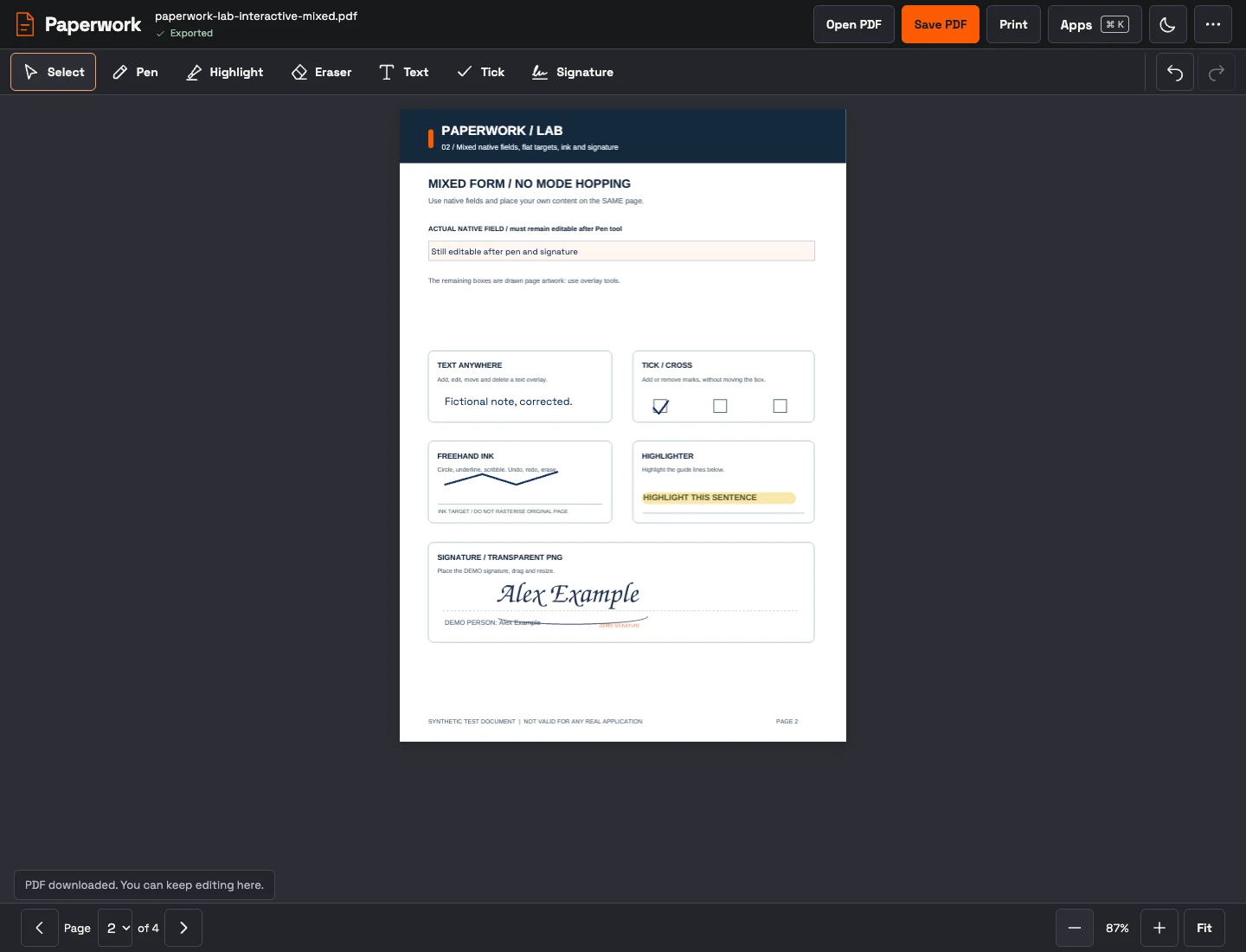
What this app does.
Complete an ordinary form or use the fictional sample. No account or uploads.
- Fill native text, multiline, checkbox, radio, dropdown and list fields.
- Draw, highlight, erase, undo, type, tick and place a transparent signature PNG.
- Save a completed PDF with original pages and editable native fields; print that completed copy.
- Inspect, edit or clear document properties, with Undo and saved-file verification.
Make it yours. Init exports title, introduction and starting theme. The exact pinned source can be reproduced in a new local directory.
Works with. Independent static deployment and browser-local files. Composer provides discovery and a configuration handoff, with no document backend.
Build with this app
Configure Paperwork in Init, then reproduce its exact reviewed source in a new directory.
Configure your app · Compare it with the shipped app library