
Fill and sign a PDF without printing it.
The job
Fill, sign and save a PDF in the browser.
Open an ordinary form, fill its fields, draw or sign and download the completed document. The file stays in your browser.
Who this is for and what you need
Useful for small business and client paperwork. Related role pages: Small business · Designer / agency.
Documents and signatures stay in the browser, with no account, upload, document analytics or cloud storage. Ordinary PDFs up to 30 MB and 100 pages. Password-protected, XFA and already certificate-signed documents are refused. Independent static deployment and browser-local files. Composer provides discovery and a configuration handoff, with no document backend.
Device support not checked yet
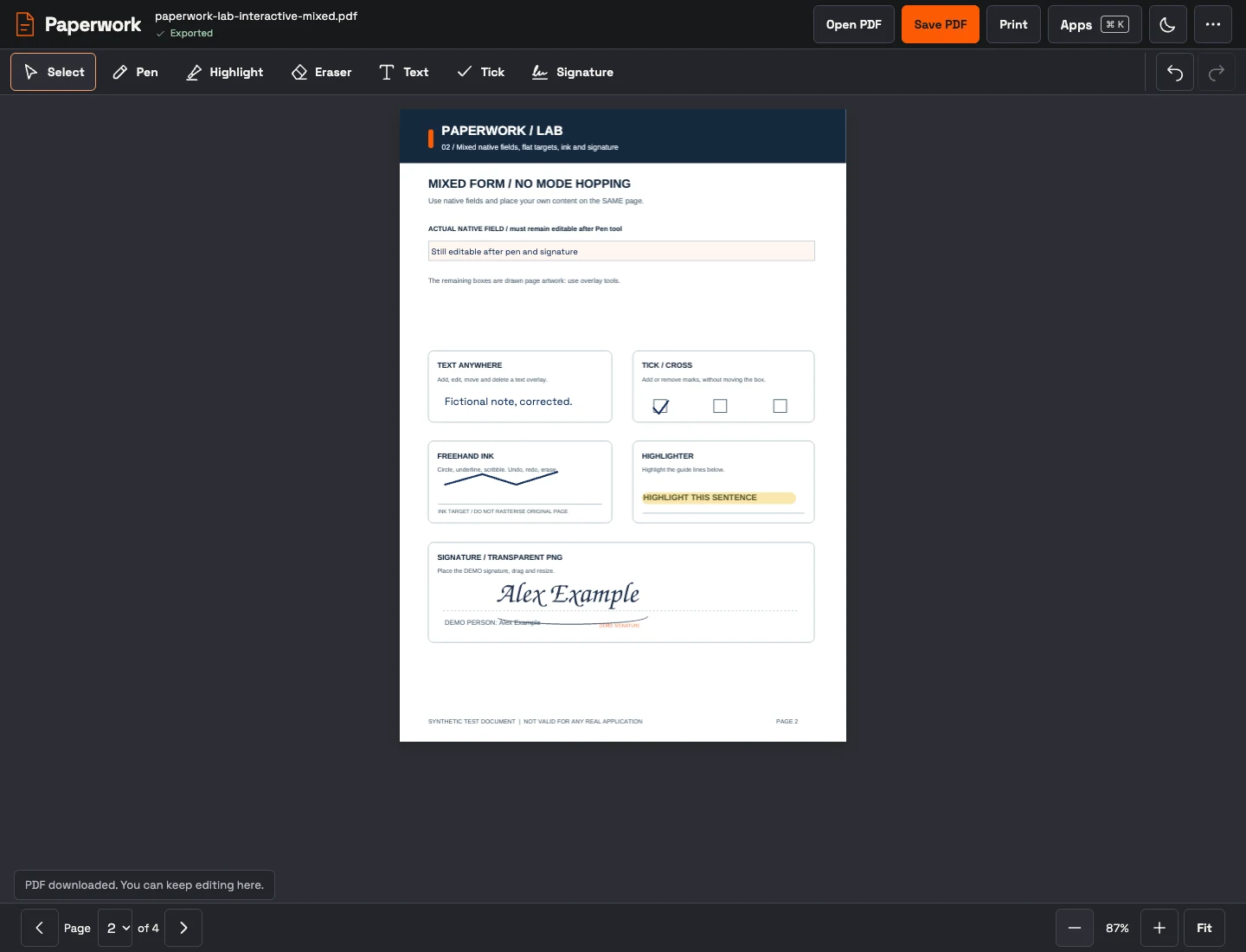
The deployed editor with the fictional acceptance form, added text, ink, highlight and a transparent demo signature.
Actual capture · 2026-10-24 · paperwork.loftwah.com